17
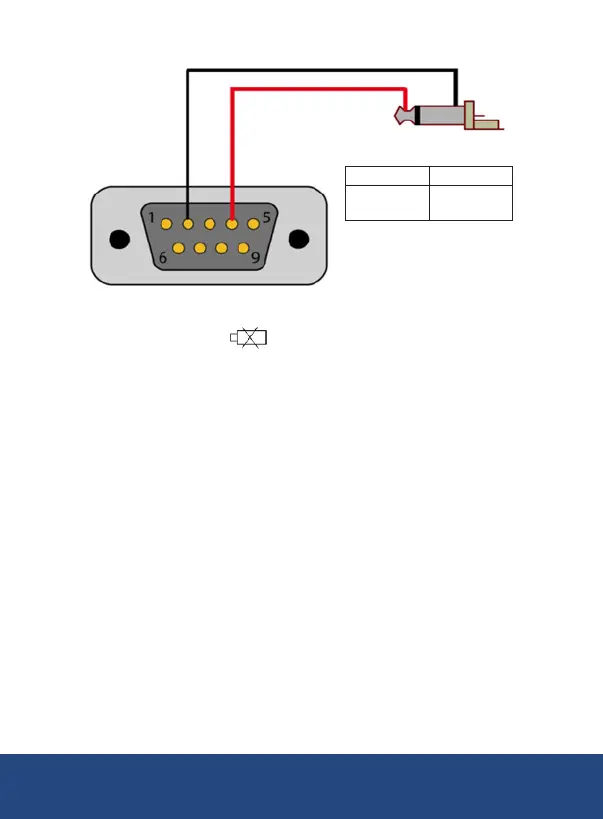
3.5mm Terminal to RS-232 Serial Connection
RS-232 Mono Jack
Pin 2 (RX)
Pin 4 (DTX)
Sleeve
Tip
Battery Replacement
When the low battery icon appears on the LCD, the batteries must
be replaced.
1. Remove the two (2) Phillips screws on the back of the meter directly
located above the top of the kickstand.
2. Remove the battery cover.
4. Secure the battery cover with the two (2) Phillips screws.
Applications
REED Instruments
1-877-849-2127 | info@reedinstruments.com | www.reedinstruments.com



 To Next Page