reedinstruments
www
com
5
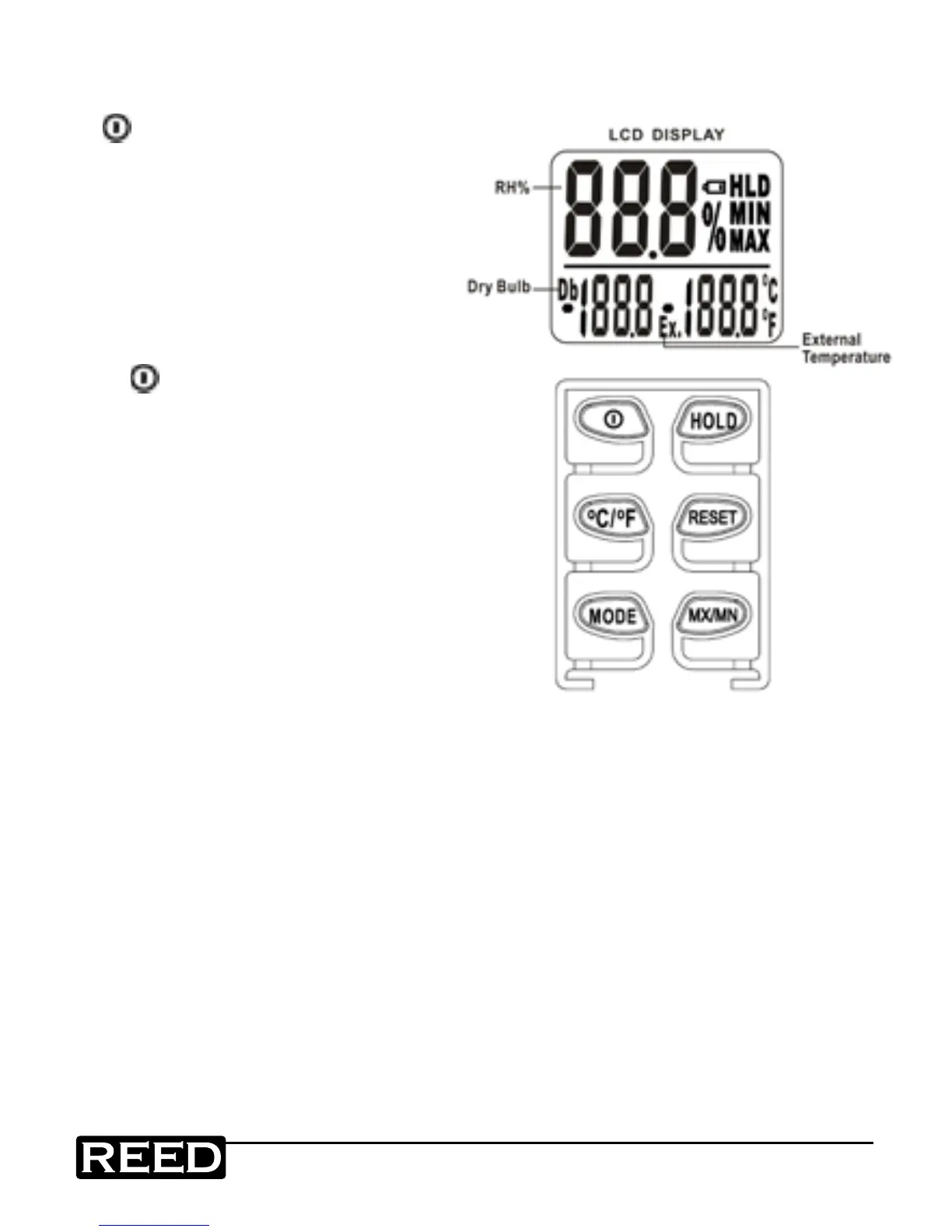
Instrument Description
1) Power On/Off Button
2) °C/°F Button, Switch between
°C and °F
3) MODE Button, Switch between
Db & DP (Db=Air Temperature)
4) HOLD Button
a) Hold display
b) Power Button +
HOLD = Non-Sleep mode
(The default setting is auto-sleep
in 5 minutes)
5) RESET Button,
Reset Min/Max memory
6) MN/MX Button
a) Display minimum value of
memory from when the meter is
turned on to now.
b) Display maximum value of
memory from when the meter
is turned on to now.
www.GlobalTestSupply.com
Find Quality Products Online at: sales@GlobalTestSupply.com


 To Next Page