reedinstruments
www
com
7
Data Hold Function
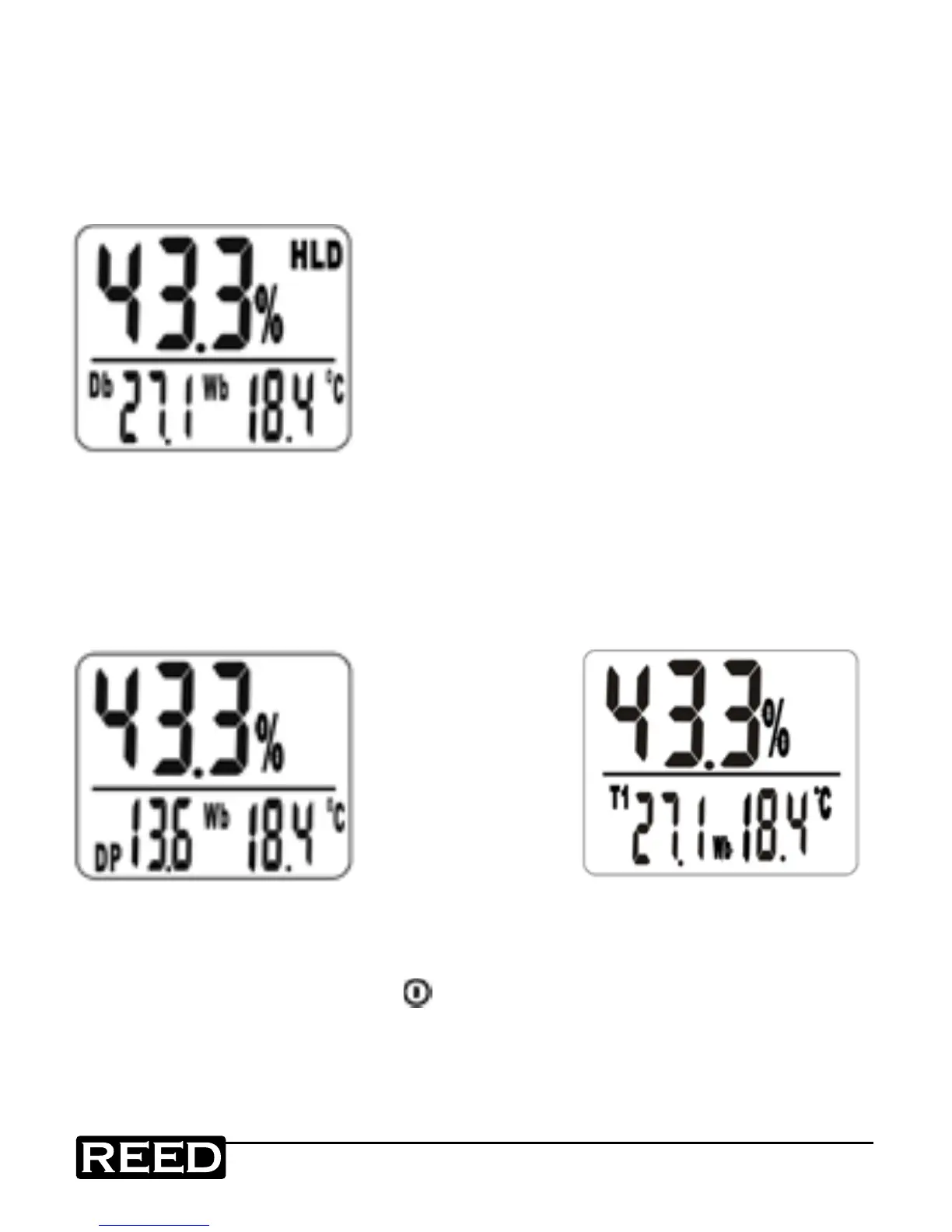
1. Press "HOLD" button until (HLD) appears in display.
2. The current reading is now held and will not change until the
Hold function is cancelled (see gure D).
3. Press "HOLD" button again to cancel the Hold function.
Figure D
The Hold function can be used on humidity,
dew-point, dry bulb/T1, external temperature/
T2, wet bulb and temperature difference.
Dew Point Function
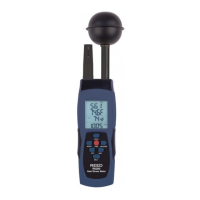
1. Press MODE button until "DP" appears on display.
2. Select to display dew point or dry bulb (air temp.) in any mode while the
unit is on (see gure E).
Figure E
Figure E1
Wet Bulb Function
Turn the meter on by pressing power button.
You will see "Wb" temperature indicated on the display (see gure E1).
www.GlobalTestSupply.com
Find Quality Products Online at: sales@GlobalTestSupply.com


 To Next Page