reedinstruments
www
com
8
External Temperature Function
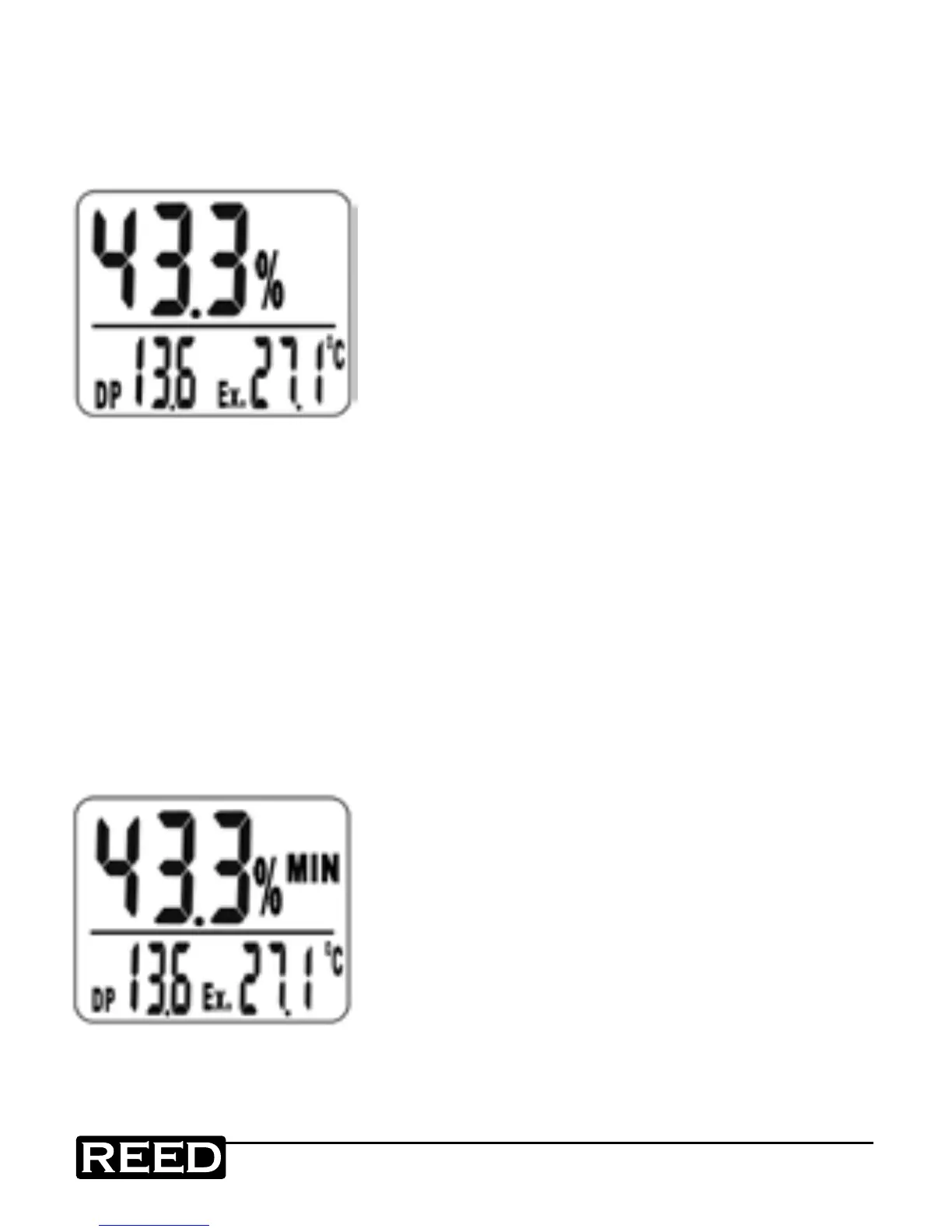
1. Plug the optional external probe (Model 87P6) into the meter.
2. Press the RESET button until "Ex" appears on display.
The meter will now display external probe temperature. See gure F.
Figure F
Note: If the probe isn’t plugged in meter,
"Ex" won’t appear on display even when
pressing the RESET button.
Min./Max. Function
1. Press and hold MN/MX button until (MIN) appears on the display
(see gure G). The display is now showing minimum humidity
and temperature readings currently in the memory.
2. Press and hold MN/MX button again until (MAX) appears on the display
(see gure H). The display is now showing maximum humidity and
temperature readings currently in the memory.
3. To return to the current temperature and humidity readings press and
hold the MN/MX button until Min or Max disappear from the display.
4. Press the RESET or the MN/MX button for more than two seconds to
clear currently in the memory.
Figure G
continued ...
www.GlobalTestSupply.com
Find Quality Products Online at: sales@GlobalTestSupply.com


 To Next Page