Now use the rotary encoder to modify the volume limit on the selected
zone from 0 to 24.
Press the menu button to level up one menu to the selected zone menu.
Press the menu button again to return to the zones menu, again for
the main menu, and once more to return to the regular display.
ZONES
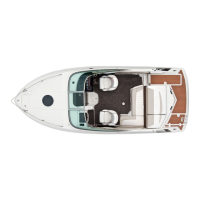
Your Regal comes standard with two equipped zones. Zone one
refers to the two speakers in the forward position nearest the helm
and companion seats. Zone two refers to the two speakers in the aft
position nearest the aft cockpit. Zone three is reserved for additional
speakers installed as an optional feature (see later in this section).
CLOCK ADJUSTMENT
To adjust the clock, press the menu button in the upper left hand
corner, and turn the rotary encoder to scroll through the menu option
and select “Setup” by pressing the encoder in. In this sub menu, use
the rotary encoder to select the “Clock Adjust” option.
Use the rotary encoder to toggle the 24 hour clock mode, or to select
the “Set Time” function. Once “Set Time” has been selected, use the
rotary encoder to change the hour on the clock, pressing it in when
fi nalized. This allows the rotary encoder to change the minutes on the
clock in a similar manner.
Once the time is fi nalized, hit the menu button to return to the clock
adjustment menu, again to return to the setup menu, again for the
main menu, and a forth time to return to the regular display.
6-30
Equipment Operation



 To Next Page