4
Chapter 7
To read either the fresh water or waste monitor panel the
breaker on the main DC panel must be activated.
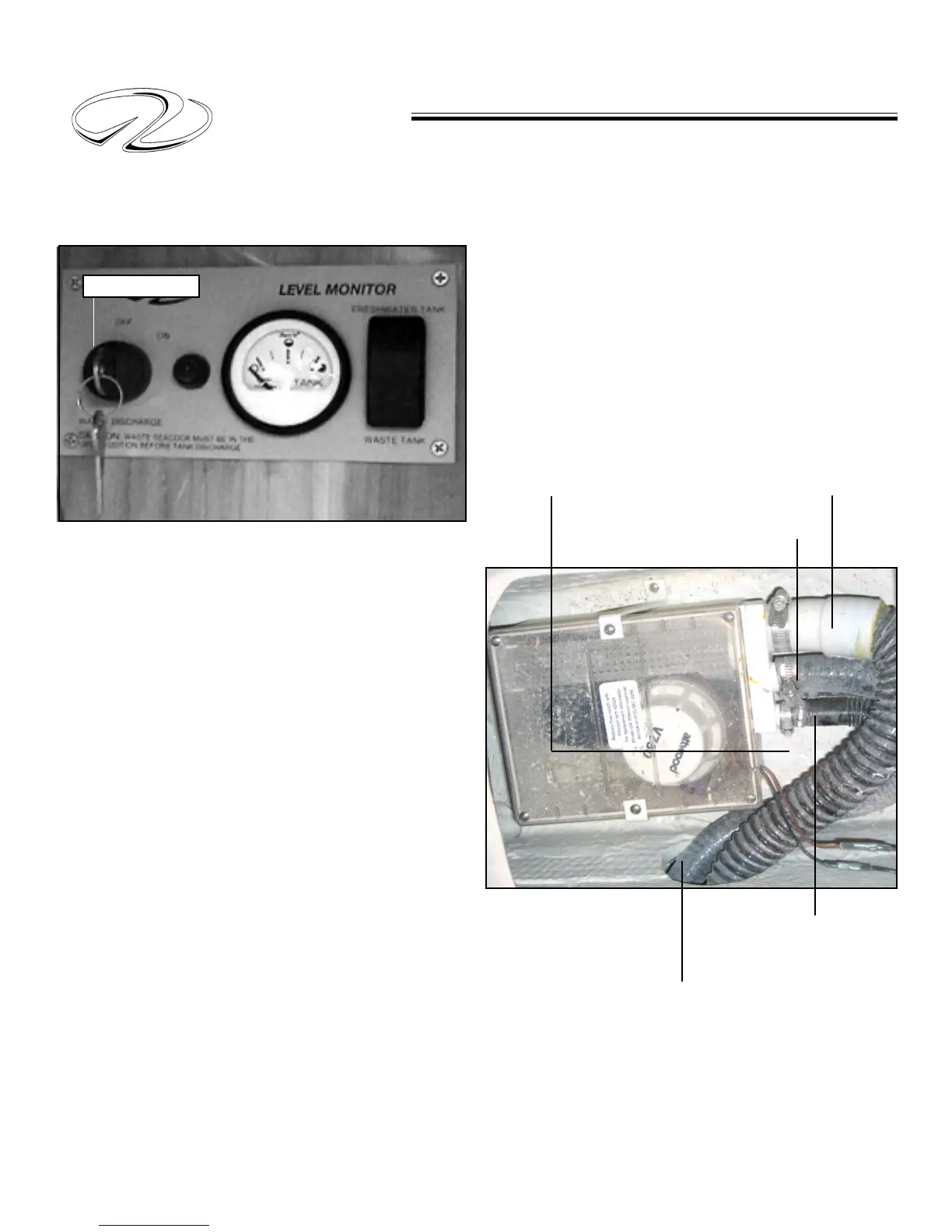
The fresh water monitor displays the amount of potable
water in the system. There are sensors located in the tank
itself that send a signal to the display when activated. Press
the top portion of the toggle switch and read the gauge
display.
The waste portion of the display shows the amount of
waste water in the holding tank. Press the bottom por-
tion of the toggle switch for determing the waste tank
level. This portion of the system needs to be monitored
periodically to prevent the tank from being overfilled which
could cause equipment damage and/or a possible leak in
the vessel.
If the waste system is determined to be full it can be emp-
tied by connecting a marina pump-out hose to the waste
fitting located on the deck. The pump out device will
evacuate all the waste much like a vacuum cleaner oper-
ates.
An alternative method which can be used in International
waters only is to pump the waste overboard via a seacock.
Notice the key switch portion of the monitor. If your
vessel is equipped with an overboard discharge pump (mac-
erator) you can use it to grind up the waste and send it
through the hull bottom. Make sure the waste seacock is
open before energizing the macerator.
KEY SWITCH
SHOWER SUMP PUMP
The gray water system is made up of sink, shower, or in
some cases equipment run-off water. The system passes
used water through the shower sump pump and eventu-
ally is discharged overboard via a thru-hull fitting. The dif-
ferent hoses routed to and from a typical shower pump
are indicated below.
Turn the macerator breaker on and then energize the moni-
tor panel key switch. Be sure to turn the seacock off and secure it
with a tie wrap after the pump-out cycle.
FRESH WATER & WASTE MONITOR
WATER/WASTE SYSTEM
From Optional AC Condensor
From Water Heater
Drain Valve
Shower Drain
From Shower Sump Pump
To Overboard Drain
From Water Heater
Check Valve



 To Next Page