61
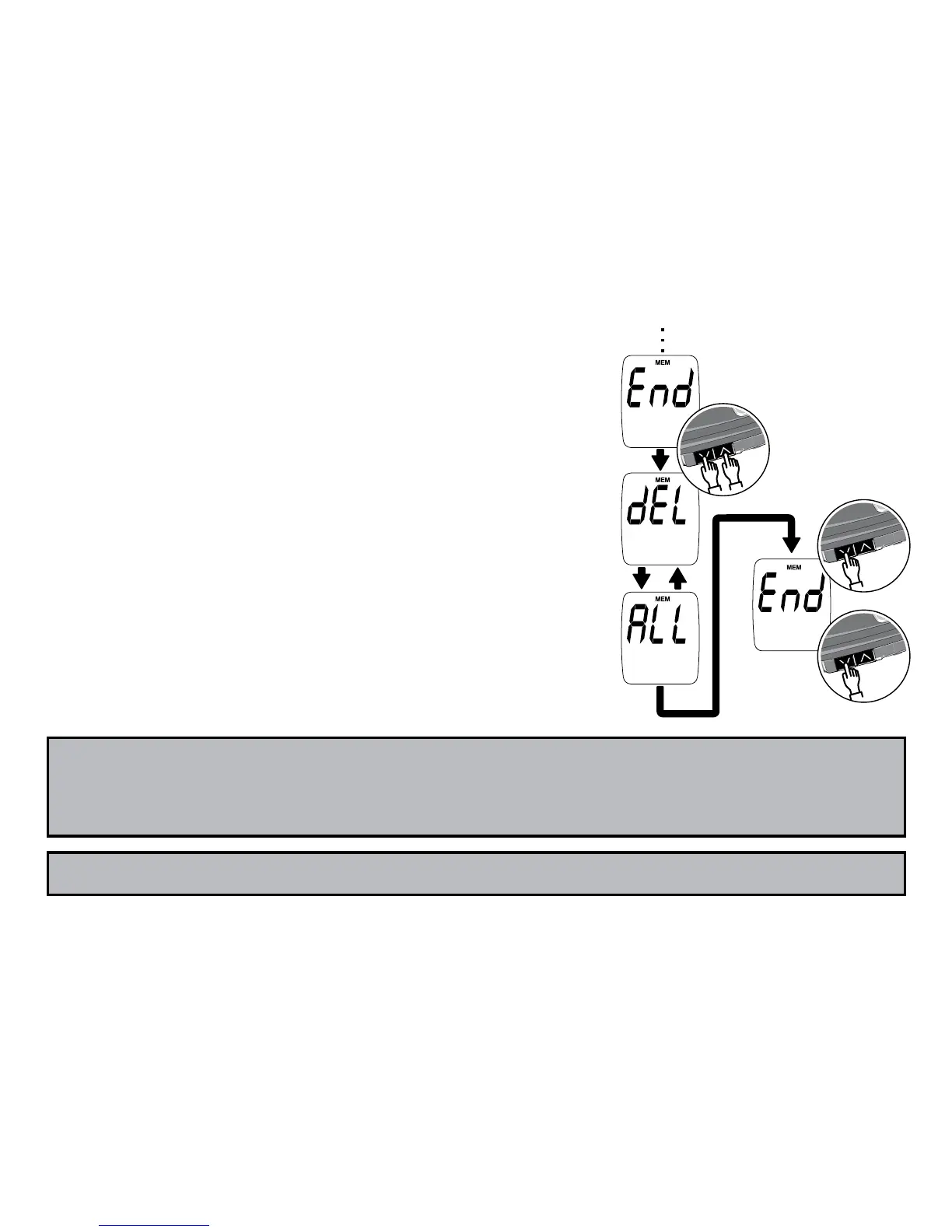
Deleting all test results
Step 1:
Press both the Up Arrow and Down
Arrow buttons for 5 seconds while “End”
is shown. You will see “dEL” and “ALL”
alternating on the screen.
Step 2: Next press the Down Arrow button
for 5 seconds. “End” appears again. All test
results have now been deleted.
Step 3: Press the Down Arrow button for 2
seconds to turn off test meter.
Note: To get to “End” of memory results quickly, turn off meter, then en-
ter Memory Mode. Next press the Down Arrow button to go backwards
in the memory list to reach “End”.



 To Next Page