EasyManua.ls Logo

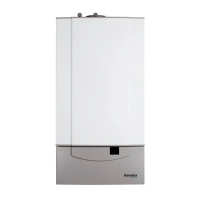
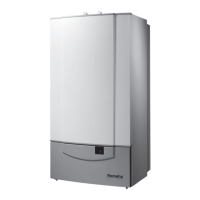
REMEHA Quinta Pro series - User Manual

REMEHA Quinta Pro series
84 pages
Print Icon
To Next Page IconTo Next Page
Loading...
United Kingdom
en
Installation, user and service manual
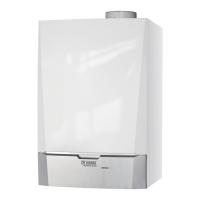
Wall-hung gas condensing boilers
Quinta Pro
30 – 45 – 65 – 90 – 115

Table of Contents

Questions and Answers

  • C
    Carolyn LewisAug 20, 2025
    What to do if the water pressure is too low in my REMEHA Boiler?
    • L
      Luke BellAug 20, 2025
      If the REMEHA Boiler's water pressure is too low, first verify the water pressure. Then, refill both the boiler and the entire installation with water.
  • P
    parkercassidyAug 22, 2025
    What causes 5x flame loss in a REMEHA Boiler and how to fix it?
    • M
      mlewisAug 22, 2025
      If your REMEHA Boiler experiences 5x flame loss, begin by venting the gas supply to remove any air. Ensure the gas valve is fully opened and verify the gas supply pressure. Check the operation and setting of the gas valve unit. Make sure the air supply inlet and flue gas outlet are not blocked and confirm that there is no recirculation of flue gases.
  • R
    Rebecca RandallAug 25, 2025
    How to troubleshoot maximum flow temperature exceeded error in REMEHA Boiler?
    • R
      Ricky HopkinsAug 25, 2025
      If the maximum flow temperature is exceeded in your REMEHA Boiler, check the flow, including its direction, the pump, and the valves.
  • M
    Marilyn HallAug 26, 2025
    What causes low gas pressure in REMEHA Quinta Pro Boiler and how to resolve it?
    • J
      josephsmithAug 26, 2025
      If the gas pressure is too low in your REMEHA Boiler, ensure the gas valve is fully opened and check the gas supply pressure. Verify that the gas pressure switch (Gps) on the SCU PCB is correctly fitted. If necessary, replace the Gps switch.
  • B
    bullockshannonAug 27, 2025
    What to do if maximum increase of the flow temperature has been exceeded in REMEHA Quinta Pro?
    • R
      Renee CarrollAug 27, 2025
      If the maximum increase of the flow temperature has been exceeded in your REMEHA Boiler, check the flow (direction, pump, valves). Also, check the water pressure, ensure the sensors are operating correctly and properly fitted, and verify the cleanliness of the heat exchanger.
  • B
    Bethany LambAug 29, 2025
    What causes maximum difference between the flow and return temperature exceeded error in REMEHA Boiler?
    • C
      Carolyn JacobsAug 29, 2025
      If the maximum difference between the flow and return temperature is exceeded in your REMEHA Boiler, check the flow (direction, pump, valves). Also, check the water pressure, ensure the sensors are operating correctly and properly fitted, and verify the cleanliness of the heat exchanger.
  • H
    Howard LongAug 31, 2025
    What should I do if the difference between the flow and return temperatures is too great in my REMEHA Boiler?
    • J
      Jonathan OdonnellAug 31, 2025
      If there is a difference between the flow and return temperatures that is too great in your REMEHA Boiler, replace the sensor if necessary and vent the central heating system. Check the flow (direction, pump, valves), the water pressure, and that the sensors are operating correctly and have been fitted properly. Check the cleanliness of the heat exchanger and that the heating pump is operating correctly. If present, check setting of boiler type parameter.
  • P
    Patrick MoodySep 2, 2025
    What causes a false flame signal in a REMEHA Quinta Pro Boiler and how can I fix it?
    • C
      Courtney Martin MDSep 2, 2025
      If a false flame signal occurs in your REMEHA Boiler, check the ionisation/ignition electrode. Inspect the gas valve, replacing it if necessary, and adjust the O₂/CO₂ settings.
  • A
    Anthony WalterSep 4, 2025
    What should I do if the phase and neutral of mains supply are mixed up in my REMEHA Boiler?
    • R
      Rebecca JacksonSep 4, 2025
      If the phase and neutral of the mains supply are mixed up in your REMEHA Boiler, invert the phase and neutral and set the parameter accordingly.
  • H
    Heather ReillySep 6, 2025
    What does it mean when the blocking input is active on my REMEHA Quinta Pro Boiler and how do I resolve it?
    • A
      Amanda WongSep 6, 2025
      If the blocking input is active on your REMEHA Boiler, remove the external cause, check the parameters, and inspect the wiring.

Summary

1 Safety

1.1 General safety instructions

Essential safety guidelines for installers and users regarding gas and flue gas.

1.2 Recommendations

Advice on safe operation, installation, maintenance, and handling.

1.3 Liabilities

Outlines responsibilities of manufacturer, installer, and user regarding product use and maintenance.

2 About this manual

2.1 Symbols used

Explains the meaning of symbols used to denote danger levels.

2.2 Abbreviations

Lists and defines abbreviations used in the manual.

3 Technical specifications

3.1 Homologations

Details certifications, NOx class, and connection types for the boiler.

3.2 Technical data

Presents key technical specifications like output, efficiency, and gas data.

3.3 Dimensions and connections

Provides physical dimensions and port configurations for installation.

3.4 Electrical diagram

Illustrates the boiler's electrical wiring and component layout.

4 Description of the product

4.1 General description

Outlines the Quinta Pro boiler's key properties and features.

4.2 Operating principle

Explains how the boiler functions, including pump and water flow.

4.3 Main components

Identifies and illustrates the main internal components of the boiler.

4.4 Control panel description

Details the function of control panel keys and display symbols.

4.5 Standard delivery

Lists the items included in the standard boiler package.

4.6 Accessories and options

Mentions available optional accessories for the boiler.

5 Before installation

5.1 Installation regulations

Specifies mandatory regulations and installer qualifications for installation.

5.2 Choice of the location

Provides guidelines for selecting a suitable installation site for the boiler.

5.2.1 Type plate

Describes the information found on the boiler's type plate.

5.2.2 Boiler position

Details requirements for the boiler's physical placement and installation space.

5.3 Ventilation

Outlines ventilation standards and compliance requirements.

6 Installation

6.1 General

States that installation must be done by qualified installers according to regulations.

6.2 Preparation

Covers the initial steps for preparing the boiler and wall for mounting.

6.2.1 Positioning the boiler

Details how to mount the boiler using the provided bracket and template.

6.3 Water connections

Guides on connecting the boiler to the central heating and DHW systems.

6.3.1 Rinsing the system

Emphasizes the importance of cleaning and flushing the system before connection.

6.3.2 Connecting the heating circuit

Step-by-step instructions for connecting the flow and return pipes.

6.3.3 Connecting the expansion vessel

Details on how to connect the expansion vessel to the system.

6.3.4 Connecting the condensate discharge pipe

Instructions for correctly connecting the condensate drain.

6.4 Gas connection

Provides instructions for safely connecting the gas supply to the boiler.

6.5 Air supply;flue gas connections

Introduces flue gas connection types and classifications.

6.5.1 Classification

Details different flue gas connection types (e.g., C13, C33).

6.5.2 Outlets

Lists manufacturers for drain systems and discusses outlet kits.

6.5.3 Length of the air and flue gas pipes

Provides guidelines on maximum chimney lengths and pipe reductions.

6.5.4 Additional guidelines

Offers further advice on installing flue gas and air supply materials.

6.5.5 Flue gas outlet and air supply connection

Details assembly steps for flue gas and air supply connections.

6.6 Electrical connections

Covers all aspects of electrical connections, from control units to optional PCBs.

6.6.1 Control unit

Provides important connection values for the control unit.

6.6.2 Recommendations

Gives recommendations for making electrical connections safely and correctly.

6.6.3 Access to the connectors

Explains how to access and connect various components to the PCB.

6.6.4 Connection options for the standard PCB

Details how to connect the PWM pump to the standard PCB.

6.6.5 PCBs

Discusses the PCBs installed and connection options for the 0-10 V PCB.

Connection options for the PCB (SCU-S02)

Details connections for external CH pump, three-way valve, and gas pressure switch.

Connection options for the PCB (SCU-X01)

Explains configuring rotary knobs for status messages on SCU-X01 PCB.

6.7 Filling the system

Provides instructions for filling the boiler and central heating system with water.

6.7.1 Water treatment

Advises on water quality and treatment for the heating system.

6.7.2 Filling the siphon

Details the procedure for dismantling, cleaning, and refitting the siphon.

6.7.3 Filling the system

Guides on filling the central heating system and checking for leaks.

7 Commissioning

7.1 General

Outlines steps to put the boiler into operation.

7.2 Gas circuit

Details checks and procedures for the gas circuit.

7.3 Hydraulic circuit

Covers checks for the hydraulic circuit, including siphon and water connections.

7.4 Electrical connections

Guides on checking electrical connections before commissioning.

7.5 Commissioning procedure

Step-by-step guide for the initial commissioning of the boiler.

7.6 Gas settings

Covers gas settings, including adaptation to different gas types.

7.6.1 Adaptation to a different gas type

Instructions for adjusting the boiler for different gas types.

7.6.2 Checking and setting the gas;air ratio

Details how to measure and adjust the O2/CO2 levels for optimal combustion.

7.7 Final instructions

Concludes commissioning with final checks and user instruction.

8 Operation

8.1 Use of the control panel

Explains how to use the control panel and interpret its displays.

8.2 Shutdown

Provides instructions for safely shutting down the boiler.

8.3 Frost protection

Details how the boiler's frost protection works and how to set it.

9 Settings

9.1 Parameter descriptions

Lists and describes various parameters and their factory settings.

9.2 Changing the parameters

Guides on how to optimize boiler operation by adjusting parameters.

9.2.1 Changing the user-level parameters

Guides on how users can modify parameters at the user level.

9.2.2 Changing the parameters at installer level

Details how installers can change parameters using an access code.

9.2.3 Setting the maximum load for CH operation

Explains how to set the maximum heat output for central heating.

9.2.4 Return to the factory settings

Describes the process to reset the boiler to its original factory settings.

9.2.5 Carrying out an auto-detect

Explains the procedure for performing an auto-detect after PCB replacement.

9.2.6 Setting the manual mode

Guides on how to set the boiler to manual operating mode.

9.3 Displaying the measured values

Explains how to read current operational values from the control panel.

9.3.1 Reading the various current values

Details how to access and view various real-time boiler parameters.

9.3.2 Reading out the hour counter and percentage of successful starts

Shows how to retrieve boiler operating hours and start success rates.

9.3.3 Status and sub-status

Lists and explains the various status and sub-status codes displayed by the boiler.

10 Maintenance

10.1 General

States that the boiler requires periodic inspection and maintenance.

10.2 Service message

Explains the automatic service message system for preventive maintenance.

10.2.1 Resetting the service messages

Guides on how to reset the service message after maintenance.

10.2.2 Starting a new service interval

Details how to initiate a new service interval for the boiler.

10.3 Standard inspection and maintenance operations

Lists routine inspection and maintenance tasks.

10.3.1 Checking the water pressure

Describes how to check and maintain the correct water pressure in the system.

10.3.2 Checking the ionisation current

Explains how to check the ionisation current for burner operation.

10.3.3 Checking the flue gas outlet;air supply connections

Guides on checking flue gas and air supply connections for condition and tightness.

10.3.4 Checking the combustion

Details how to check combustion by measuring O2/CO2 in flue gases.

10.3.5 Checking the automatic air vent

Instructions for checking the automatic air vent for leaks or proper function.

10.3.6 Cleaning the siphon

Details the procedure for dismantling, cleaning, and refitting the siphon.

10.3.7 Checking the burner and cleaning the heat exchanger

Guides on checking the burner and cleaning the heat exchanger.

10.4 Specific maintenance work

Covers specific maintenance tasks that may be required.

10.4.1 Replacing the ionisation;ignition electrode

Provides instructions for replacing the ionisation/ignition electrode.

10.4.2 Checking the non-return valve

Details how to inspect and replace the non-return valve if defective.

10.4.3 Reassembling the boiler

Step-by-step guide for reassembling the boiler after maintenance.

11 Troubleshooting

11.1 Error codes

Lists and explains error codes displayed by the boiler.

11.1.1 Blocking

Explains boiler blocking modes and how to read blocking codes.

11.1.2 Lock out

Describes boiler lockout states and how to interpret error codes.

11.2 Error memory

Explains how the boiler stores and manages error history.

11.2.1 Reading out the error memory

Guides on how to access and view stored error codes and related data.

11.2.2 Clearing error memory

Details the procedure for clearing error codes from the boiler's memory.

12 Disposal

12.1 Removal;recycling

Provides step-by-step instructions for safely removing and disposing of the boiler.

13 Spare parts

13.1 General

Emphasizes using only original or recommended spare parts for replacements.

13.2 Parts

Illustrates and lists the spare parts for Quinta Pro 30-45 models.

14 Appendix

14.1 ErP information

Presents ErP information including energy efficiency class and heat output.

14.1.1 Product card

Provides key product data as per the ErP directive.

14.1.2 Package sheet

Details how to calculate the seasonal space heating energy efficiency of a package.

14.2 EC declaration of conformity

States compliance with European directives and availability of declaration.

14.3 Optional electrical connections

Lists optional PCBs that can be purchased and installed.

14.3.1 Housing for PCBs

Explains how to access the PCB housing for installing optional PCBs.

14.3.2 Connection options for the PCB (SCU-S03)

Details connections for gas pressure switch and heat recovery unit on SCU-S03.

14.3.3 Connection options for the PCB (SCU-X02)

Explains connecting 230 VAC or 24 VAC three-way valves to SCU-X02.

14.3.4 Connection options for the PCB (SCU-X03)

Describes controlling a modulating central heating pump via SCU-X03 PCB.

14.3.5 Connection options for the PCB (c-Mix)

Mentions connection options for c-Mix PCB for heating groups and calorifiers.

REMEHA Quinta Pro series Specifications

General IconGeneral
TypeCondensing Boiler
InstallationWall-mounted
Heat Exchanger MaterialStainless Steel
Fuel TypeNatural Gas, Propane
ControlCompatible with various BMS systems
Warranty5-year limited warranty (heat exchanger)

Related product manuals