2.8
Selecting reverse gear
(vehicle in stationary condition)
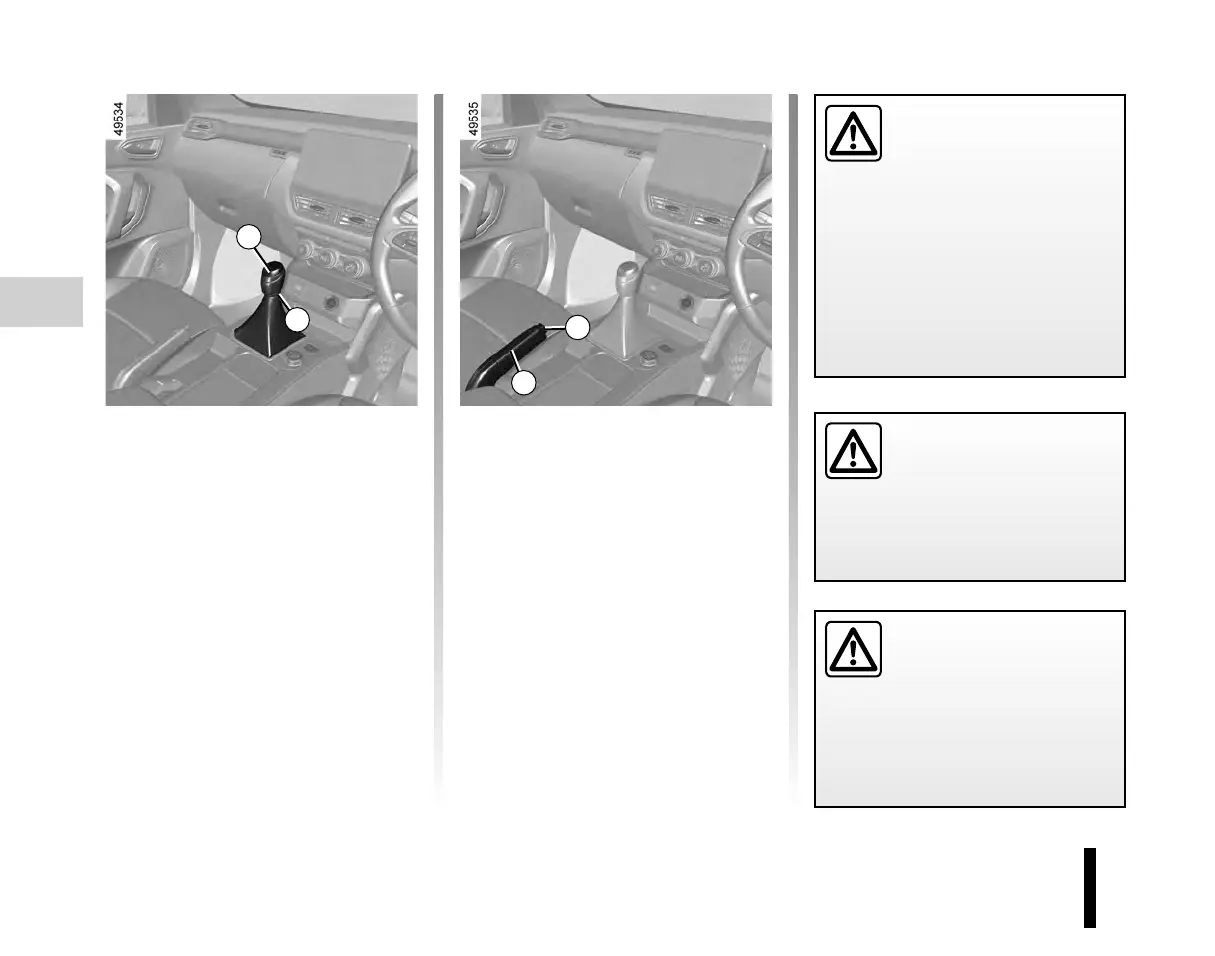
Vehicles with manual gearbox: refer
to the grid on the gear lever knob 1.
Depending on variants, pull the re-
lease knob A in upward direction and
then engage the reverse gear.Shifting
the reverse gear should not be done
quickly. Wait for 3 seconds approxima-
tely and shift the reverse gear.
Gear change indicators
Depending on the vehicle, to obtain op-
timum consumption levels, an indicator
light on the instrument panel lets you
know the best time to move up or down
a gear.
GEAR LEVER, HAND BRAKE
1
A
Handbrake
To release
Pull lever 3 up slightly, press button 2
and then lower the lever to the floor.
The red warning light on the instrument
panel will come on and a sound if you
are driving with an incorrectly released
handbrake.
To apply
Pull lever 3 upwards and make sure the
vehicle is immobilised.
3
2
An impact to the under-
side of the vehicle while
manoeuvring (e.g.: stri-
king a post, raised kerb or
other street furniture) may result in
damage to the vehicle (e.g.: defor-
mation of an axle).To prevent any
risk of accident, have your vehicle
checked by an approved dealer.
Make sure that the hand-
brake is properly released
when driving (red indi-
cator light off), otherwise
overheating, or even damage, may
occur.
Depending on the gradient
and/or vehicle load, it may
be necessary when statio-
nary to apply the brake by
at least a further two notches and
engage a gear (1
st
or reverse gear).












 To Next Page