41
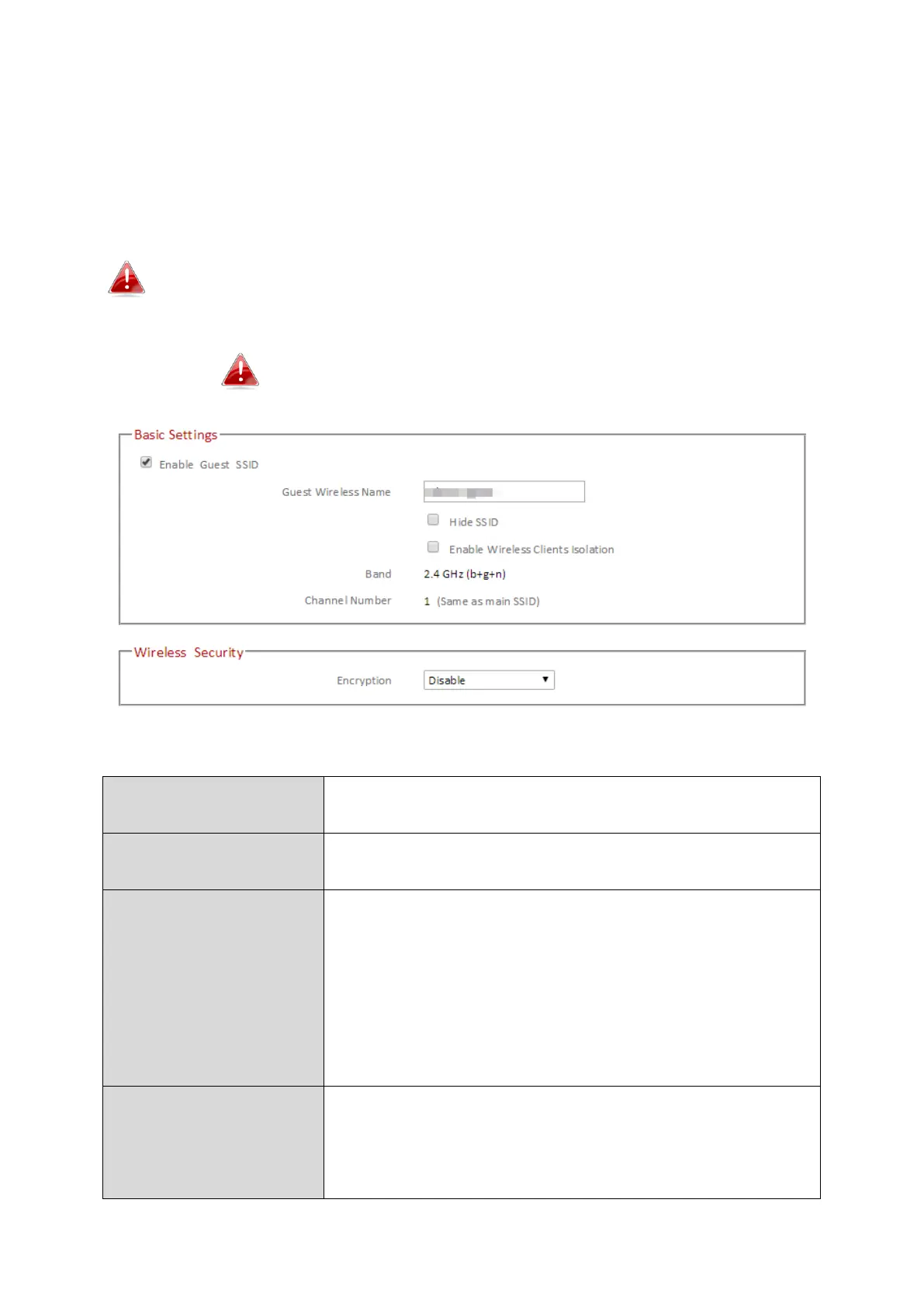
III-3-4-2. Guest
You can setup an additional “Guest” Wi-Fi network so guest users can enjoy Wi-Fi
connectivity without accessing your primary SSID. The “Guest” screen displays settings
for your guest Wi-Fi network.
The guest network is separate from your primary network.
The settings for your primary network can be found in the
“Basic” menu.
Not available in access point mode
Check/uncheck the box to enable/disable the guest
Wi-Fi network.
Enter a reference/ID name for your guest wireless
network.
Enable or disable hide SSID. When disabled, the SSID
will be visible to clients as an available Wi-Fi network.
When enabled, the SSID will not be visible as an
available Wi-Fi network to clients – clients must
manually enter the SSID in order to connect. A hidden
(disabled) SSID is typically more secure than a visible
(enabled) SSID.
Enable Wireless
Clients Isolation
Check the box to enable wireless clients isolation. This
prevents wireless clients connected to the
EW-7476RPC from communicating with each other
and improves security. Typically, this function is useful



 To Next Page