UG-OPUS® 5-80R
OPUS® 5-80R Pre-packed Chromatography Columns
b. Reference Table 1 and Table 7 in this User Guide for handling suggestions and features.
c. Do not pull or strain the white inlet and outlet ports protruding from the top of the
OPUS® column.
4. If you are not ready to use the column, refer to the storage recommendations of the resin
supplier for the pre-packed resin.
a. OPUS® 8-80R Columns, refer to column label for recommended storage temperature.
b. OPUS® 5 Column label does not report recommended storage temperature.
5. When you are ready to use your OPUS®
Column, remove the clear plastic bag containing the
OPUS® 5 – 30 Column. There is no bag for OPUS®45R, 60R and 80R Columns, so they should
be wiped down prior to use with Ethanol or Isopropyl Alcohol solution if necessary.
a. If storing the column in 2-8
o
C, allow the column to equilibrate to room temperature
overnight prior to use of the column.
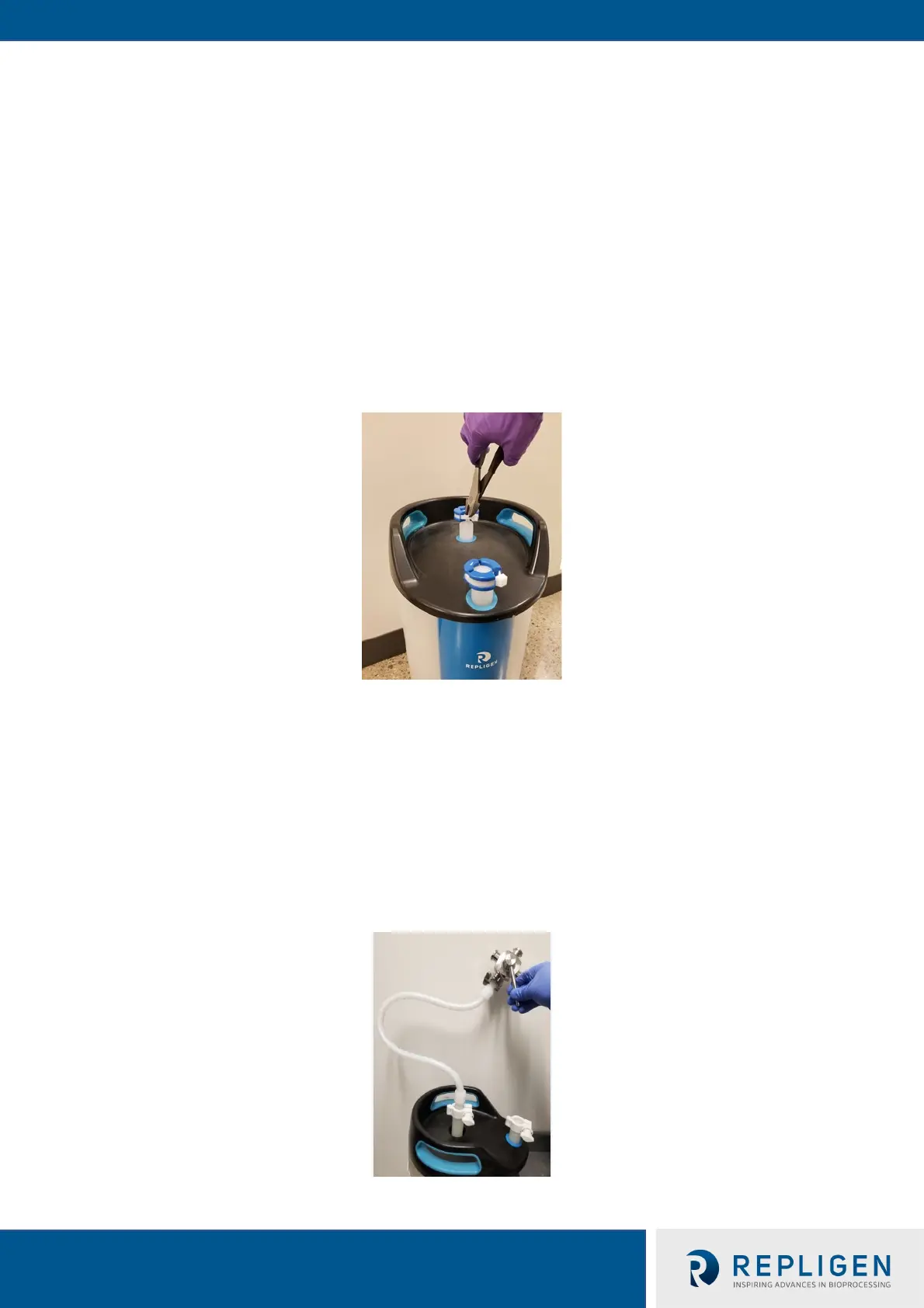
b. Using a wire cutter or sharp scissors, remove the white cable-tie on the SaniSure
®
clamp
sealing the inlet port. See Figure 4
Figure 4. SaniSure® Clamp Removal
Connecting and Operating Your OPUS® Column
Notes:
Use of stainless steel valves connected directly to the inlet and/or the outlet ports is not
recommended. The additional weight to the top of the column will increase the risk of damage to
the column hardware.
• If valves must be used, first connect the inlet and outlet ports to tubing. Then the other end
of that tubing may be connected to valves as seen in Figure 5
• Tubing length of <50 cm is suggested to minimize hold up volume of the system
Figure 5. Stainless Steel Valve Connection to OPUS® Column


 To Next Page