16
Traveling by airplane
For some airlines, medical devices do not count toward carry-on
luggage limits. Please check with your airline for their policy regarding
medical equipment.
You can use your AirMini machine on a plane as it meets the Federal
Aviation Administration (FAA) requirements. Air travel compliance
letters can be downloaded and printed from www.resmed.com.
When using the machine on an airplane:
• When connected to power, disable Bluetooth (enter airplane mode)
by pressing and holding the Bluetooth button
for at least ten
seconds until the indicator light is white.
• Do not use the AirMini app.
• Use the Start/Stop button
on your machine to start therapy,
• To reconnect Bluetooth (exit airplane mode), press the Bluetooth
button.
Troubleshooting
If you have any problems, have a look at the following troubleshooting
topics. If you are not able to fix the problem, contact your care provider
or ResMed. Do not try to open the machine.
Air is leaking from around my mask / Mask is too noisy
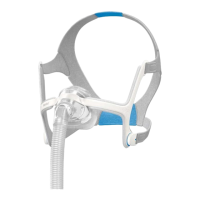
Mask may be fitted incorrectly. Make sure your mask is fitted correctly.
See your mask user guide for fitting
instructions or run the Mask Fit function
using the AirMini app to check your mask
fit and seal.
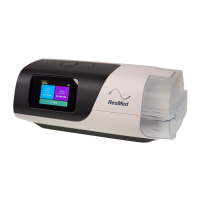
The AirMini system may be assembled
incorrectly.
Make sure your AirMini system is correctly
assembled. Refer to Setting up and starting
therapy for more information.





 To Next Page