4
Your AirMini machine is designed to work with ResMed’s AirMini app.
However, the AirMini app is not essential to operate the machine. For
more information on the AirMini app, refer to Using your machine with
the AirMini app or the AirMini app Patient eHelp.
HumidAirX and HumidAirX Plus
The HumidAirX and HumidAirX Plus are waterless humidifiers. These
are designed to provide more comfort by improving the moisture level
in the air you breathe and offering relief from possible dryness.
The HumidAirX is a good starting point for finding the right level of
humidification. The HumidAirX Plus will improve the humidity level
further and is useful when the ambient humidity level is very low (eg,
high altitudes, on an aircraft).
The HumidAirX and HumidAirX Plus can be used with the N20
connector for AirMini and AirFit P10 for AirMini only.
The HumidAirX and HumidAirX Plus must be replaced within 30 days of
opening the HumidAirX/HumidAirX Plus pack.
Setting up and starting therapy
Using your mask
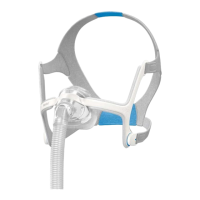
Before you set up your machine, make sure you use a compatible mask.
For a full list of compatible masks for this device, see the Mask/Device
Compatibility List on www.resmed.com/downloads/masks. If you do
not have internet access, please contact your ResMed representative.
For information on fitting your mask, refer to the mask user guide.
Use your AirMini machine only as directed by your physician or
healthcare provider.





 To Next Page