21.11.2001 Retsch GmbH 15 Doc. No E98.014-016.9999 A
Operation for the AS200 control
Switching on and off
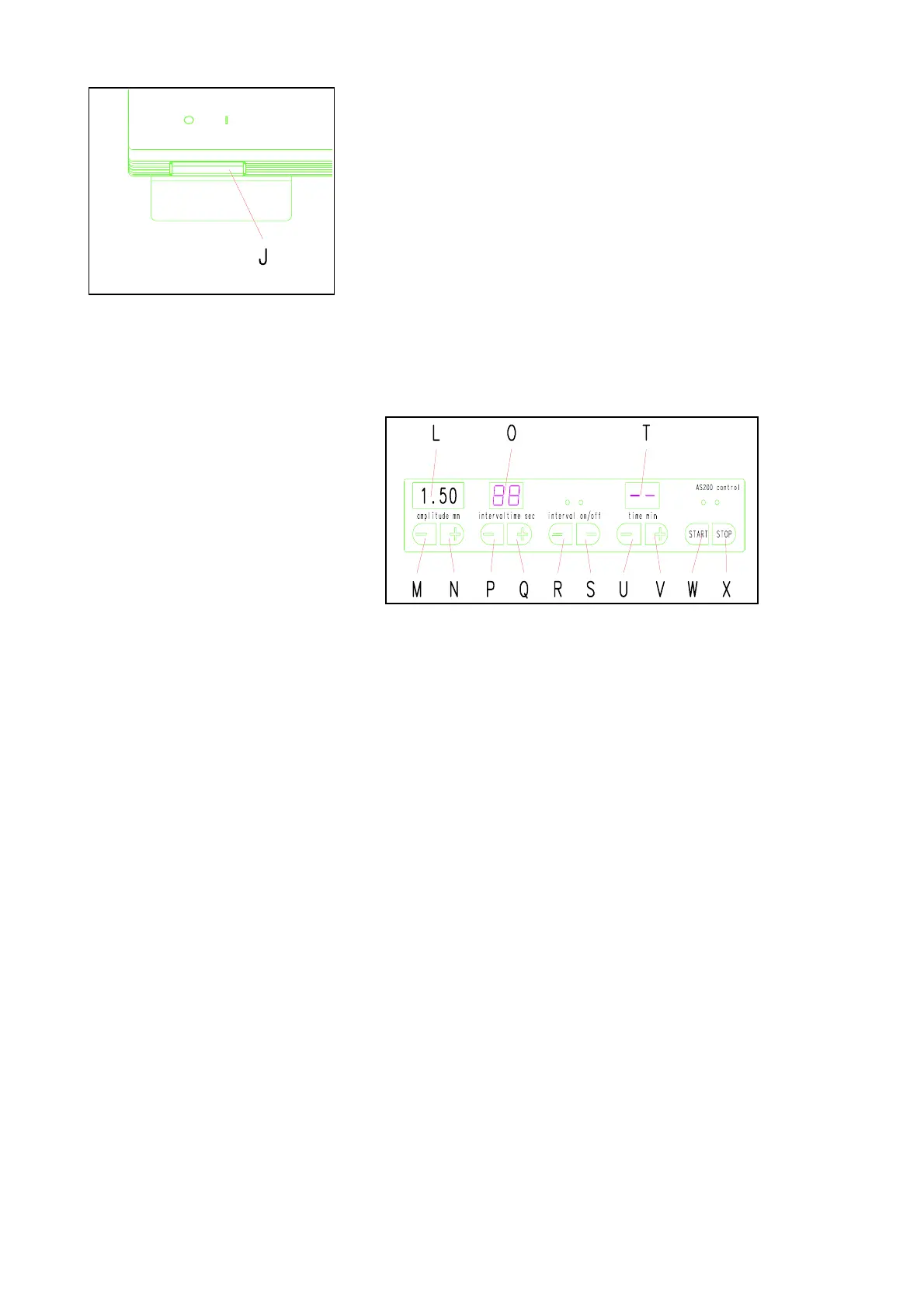
The main switch J is located at the left-front on the
AS200; see Fig. 1.
* Turn the main switch on.
* An amplitude value of 1.50 will be shown in the
display, see Fig. 2.
* The interval off LED will light; see Fig. 2.
* Two bars will appear in the time display; see Fig. 2.
Fig. 1
The AS200 is now ready for operation, without the intermittent
operation function, in continuous duty, at vibration height of 1.5
mm.
Start - Interrupt - Stop
Fig. 2
Start: Fig. 2
* Press the START button W.
* The green LED above button W lights.
* Display L shows the run-up to the predetermined value.
During the sieving period the vibration height will be kept
constant, within the predetermined tolerances.
Interruption (pause function): Fig. 2
* Press the STOP button X once.
* The red LED above button X lights.
* The values remain visible in the displays.
* Press the START button W.
* The sieving process will be resumed.
Stop (standby function): Fig. 2
* Press the STOP button X twice
* Red LED above button X lights.
* The entire display goes out.
* Activate the LED displays: press button W once.
* New values can now be entered.
* Press the START button W a second time
* The same function will be executed as with the start
function.


 To Next Page