21.11.2001 Retsch GmbH 21 Doc. No E98.014-016.9999 A
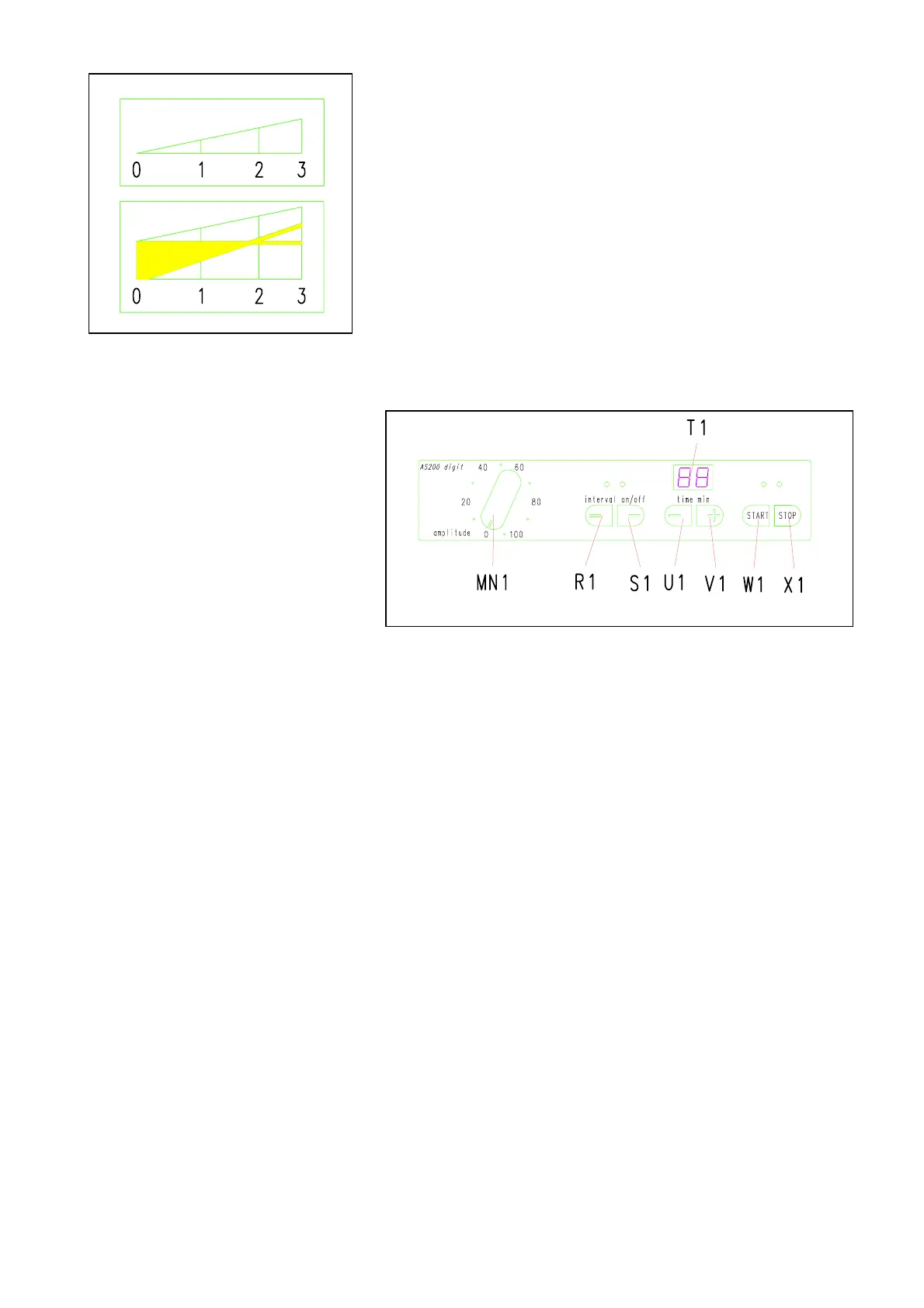
Reading the vibration height: Fig. 12
The vibration height is shown optically, on the front of
the sieve plate.
The intersection of the two lines shows the vibration
height when the machine is running.
In the illustration at the left the value is 1.8 mm.
Fig. 12
Setting the time
Fig. 13
The AS200 is set for continuous operation when it is first
switched on..
Set the time for 1 to 99 min.: Fig. 13
* Pressing the U1 button will reduce the time down to a
minimum of 1 min.
Once this value has been passed, two bars will appear,
indicating continuous operation.
* Pressing button V1 raises the time, up to 99 min.
When this value is passed, the two bars indicating continuous
operation will appear.


 To Next Page