21.11.2001 Retsch GmbH 18 Doc. No E98.014-016.9999 A
Setting the time
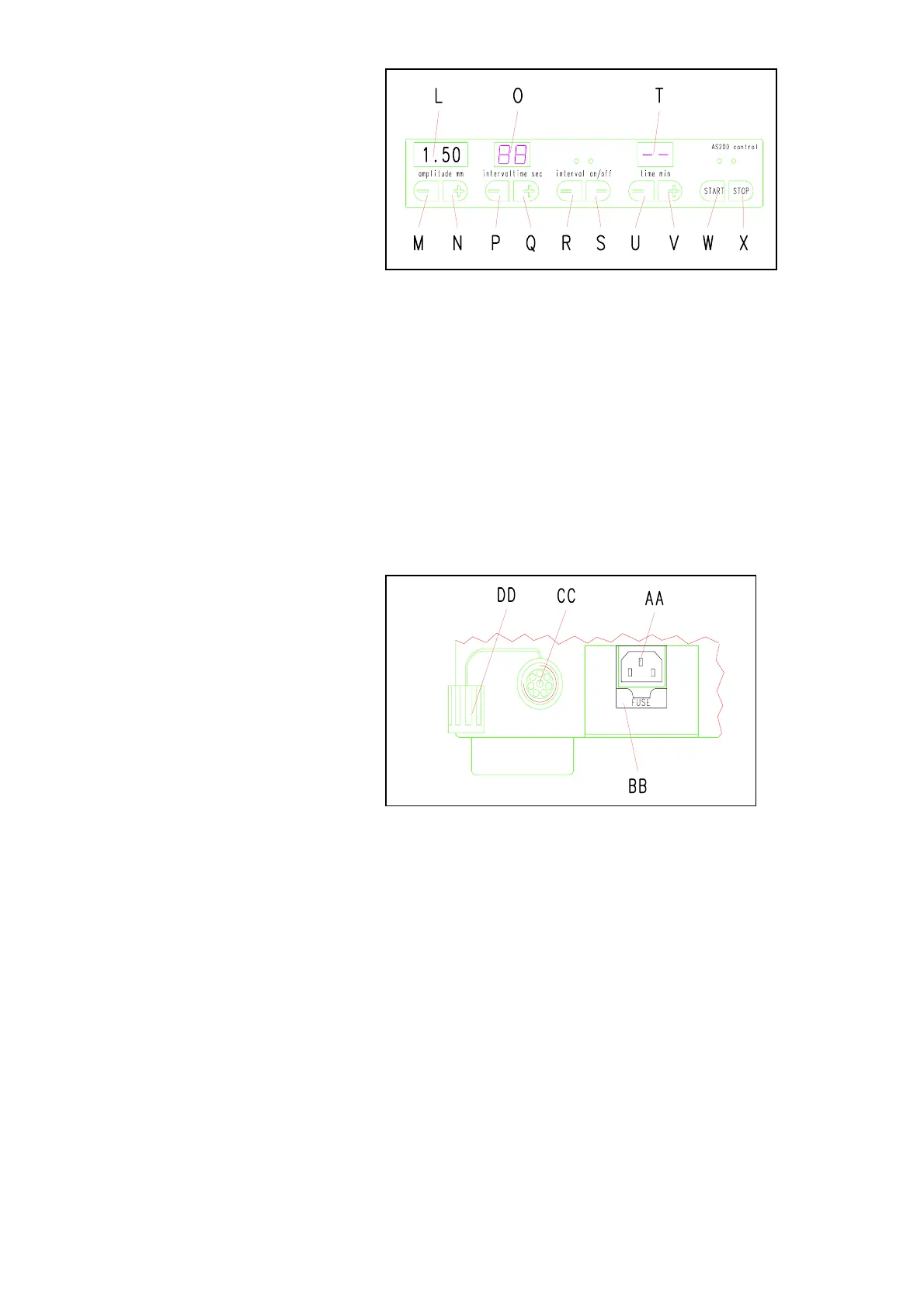
Fig. 6
When the AS200 control is switched on it will be in the
continuous operation mode.
Setting the time for 1 to 99 min.: Fig. 6
* Pressing button U will reduce the time down to as little as
1 min.
Once this value has been passed, two bars will appear,
indicating continuous operation.
* Pressing button V raises the time, up to 99 min.
When this value is passed, the two bars indicating continuous
operation will appear.
Serial PC port
Fig. 7
The AS200 control can be connected with a personal
computer using the serial port.
Protective cap DD keeps dust and water from entering
the connector when not in use.
Making the connection:
Fig. 7
* Unscrew the cap DD.
* Attach and screw down the cable.
* Connect the cable to the PC.
Software
The Easy Sieve software is available as an accessory
item.


 To Next Page