Android App User Guide
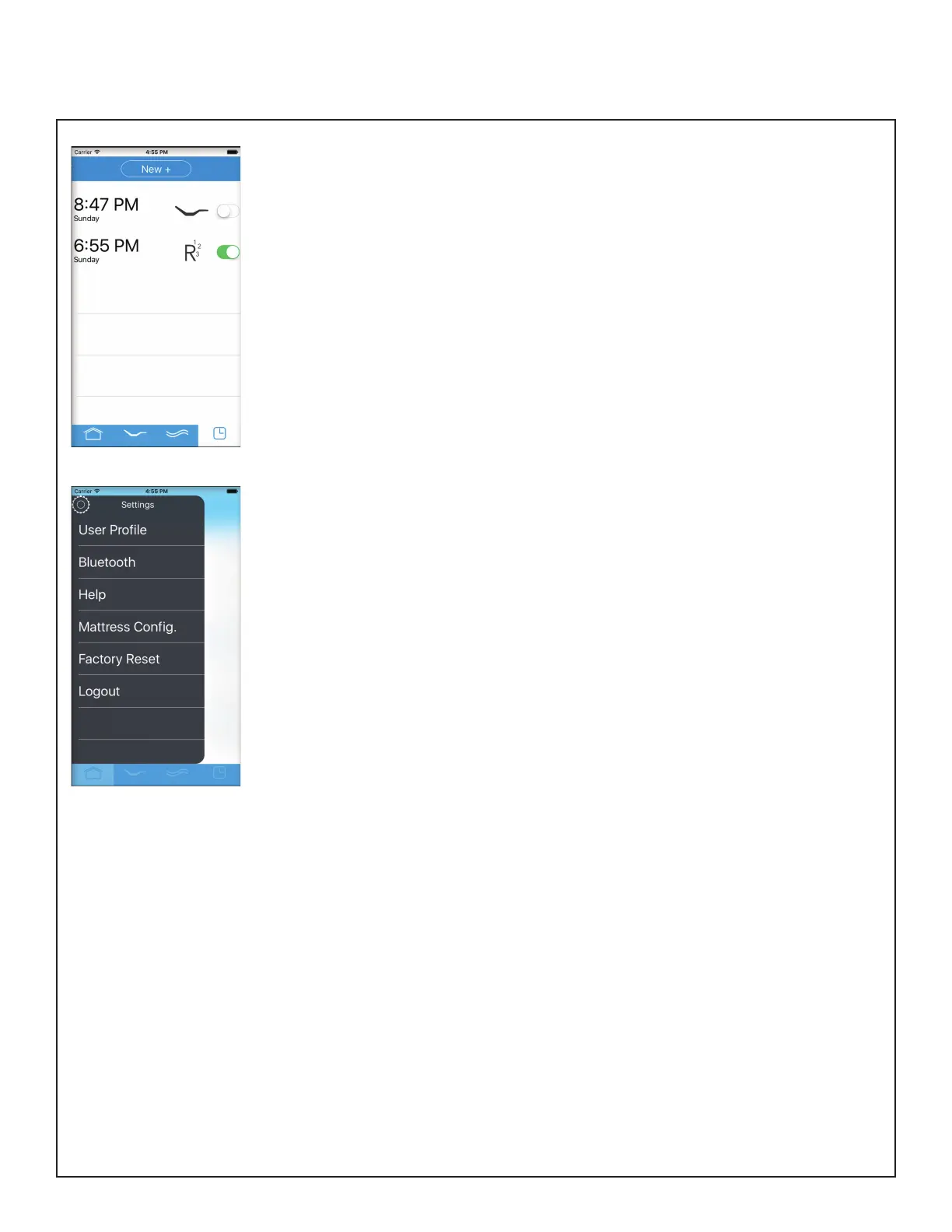
Alarm
• Create an alarm setting to raise
and/or massage you awake.
• Press “New +” to create a new
alarm setting.
- Set time - Scroll to select
the hour, minute and day.
- Repeat - Select the days of
the week you would
like the alarm to activate.
- Bed control - Select nothing
or select a new or existing
comfort setting or routine.
- Snooze - Enable snooze.
Settings
• Customize your app in settings.
• User Prole - Dene your user
prole to get recommendations
on custom settings for you.
• Bluetooth - Shows the bed you
are connected to and shows
nearby beds that you can
connect to in order of proximity.
• Help - Contact info for technical
support.
• Mattress Congurator -
Recongure your Reverie
Dream Supreme mattress with
these rmness guides.
• Factory Reset - Reset your app
to original settings.
• Logout - Logout or create a
new user.



 To Next Page