MINI 3D Scanner Quick Start Guide
COPYRIGHT ©2022 REVOPOINT 3D ALL RIGHTS RESERVED 30
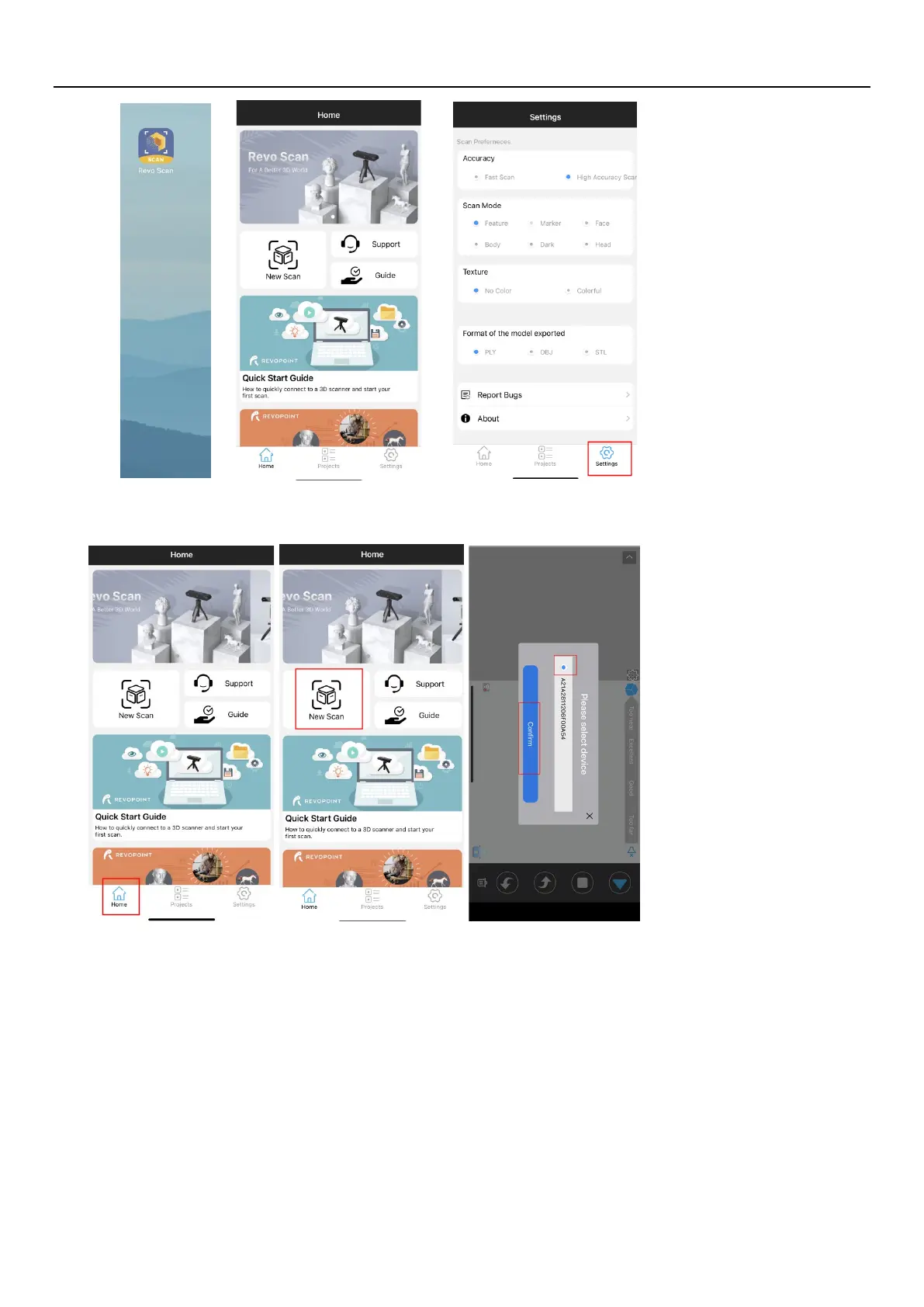
5. Back to Home and authorize the camera;
6.
Adjust the brightness in the RGB camera and depth camera.
Note
:
Anto first, then Manual; If necessary, turn on the “Remove Plane” to eliminate the excessive pointclouds.


 To Next Page