INSPIRE Quick Start Guide
©2023 REVOPOINT 3D ALL RIGHTS RESERVED 6
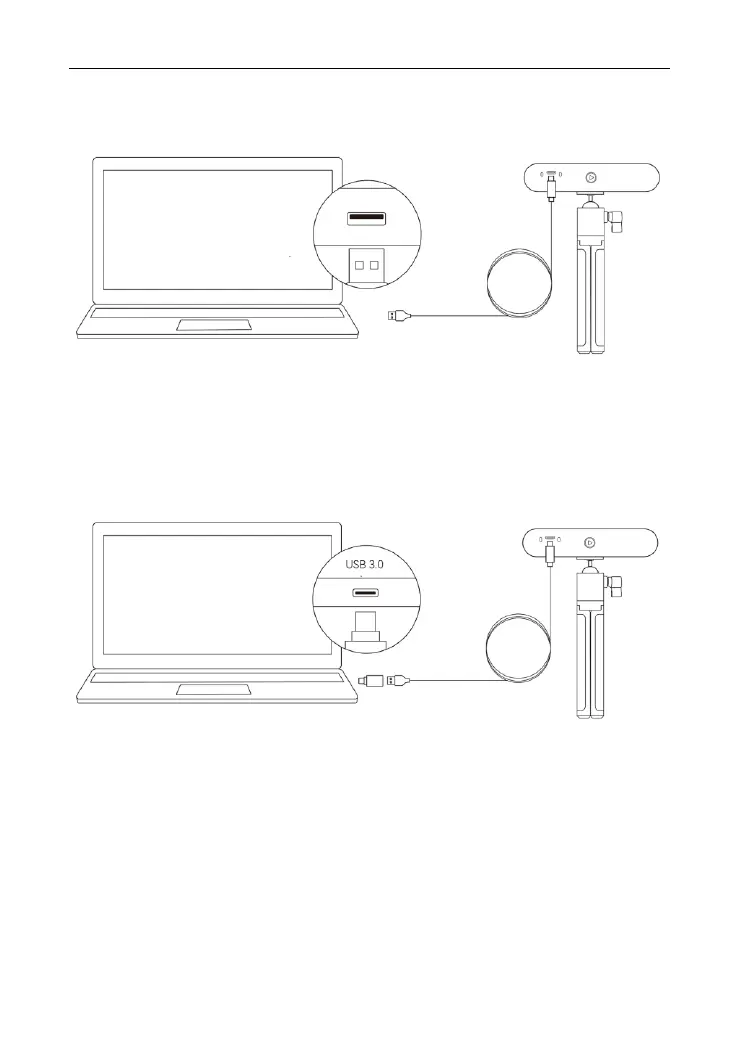
Step 3: Connect the USB cable's Type-C end to the INSPIRE’s rear port.
Step 4: Plug the Type-A end into a USB 3.0 port or above on your
computer.
Step 5: Open Revo Scan on your computer.
Notes:
1) Connect INSPIRE to a USB 3.0 port or above (USB 2.0 will not supply sufficient
operating power). Ensure your USB 3.0 port is not damaged or worn out.
2) If there is no Type-A port on your computer, use the Type-C Adapter.
Connecting INSPIRE to a PC via Wi-Fi
Step 1: Powering INSPIRE via the Power Bank Handle or a
power socket.
Note: Do not plug it into your PC, or it will default to USB mode. The Power Bank
Handle is not included with INSPIRE. However, you can use your own power bank if
it’s rated 5V/1A or buy one from the Revopoint Store.



 To Next Page