11
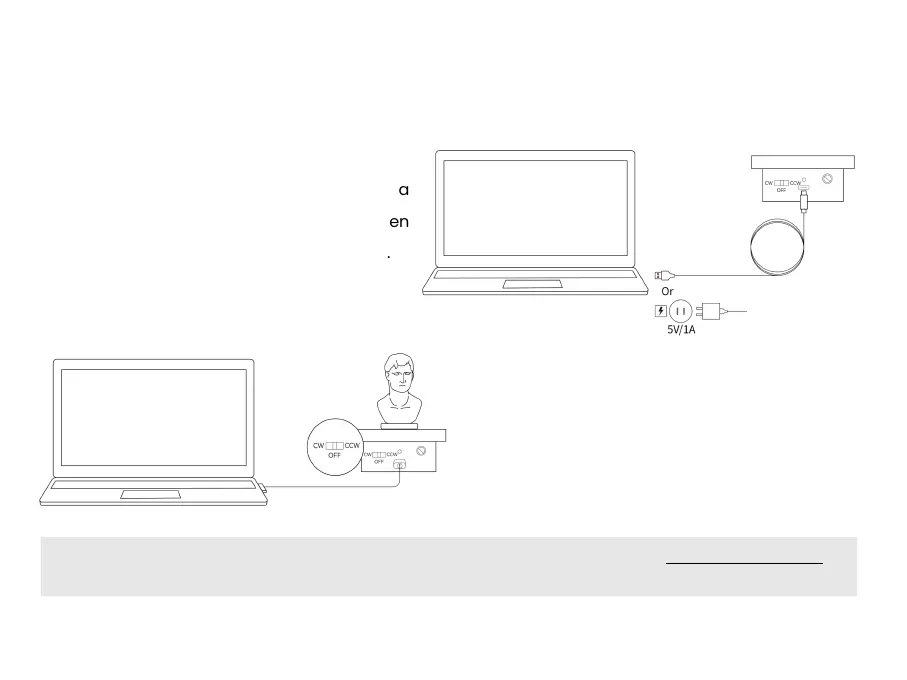
▎Mini Turntable Connection
Step 1: Connect the turntable to a PC or a
socket via the turntable’s power cable. When
the indicator turns solid green, it’s powered.
Step 2:Place the object on the turntable. Flick
the switch left or right to adjust the turntable’s
rotational direction, and twist the dial to
adjust the rotation speed.
Note: For Dual-axis Turntable users, visit the Support section on Revopoint’s website at www.revopoint3d.com to
download the Quick Start Guide.



 To Next Page