18
⑦
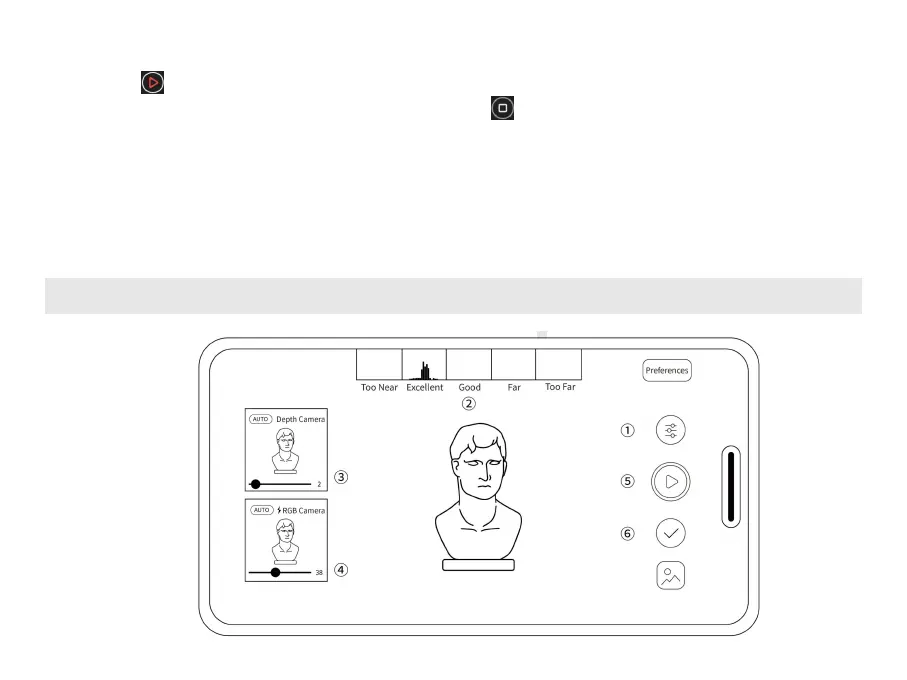
Tap the icon to start scanning. While scanning, hold the scanner steady and move slowly. Try
not to scan the same areas repeatedly. Tap the button to finish the scan and enter the
post-processing window when the scan is over.
⑧
Fill holes in the model as required (optional).
⑨
Tap the Post-processing button for Fusing and Meshing. You can share the model to Revo Scan on
your PC for more editing options. See Sharing Models from a Phone to a PC on page 21 of this guide
for details.
Your First Scan Using Revo Scan (iOS)



 To Next Page