17
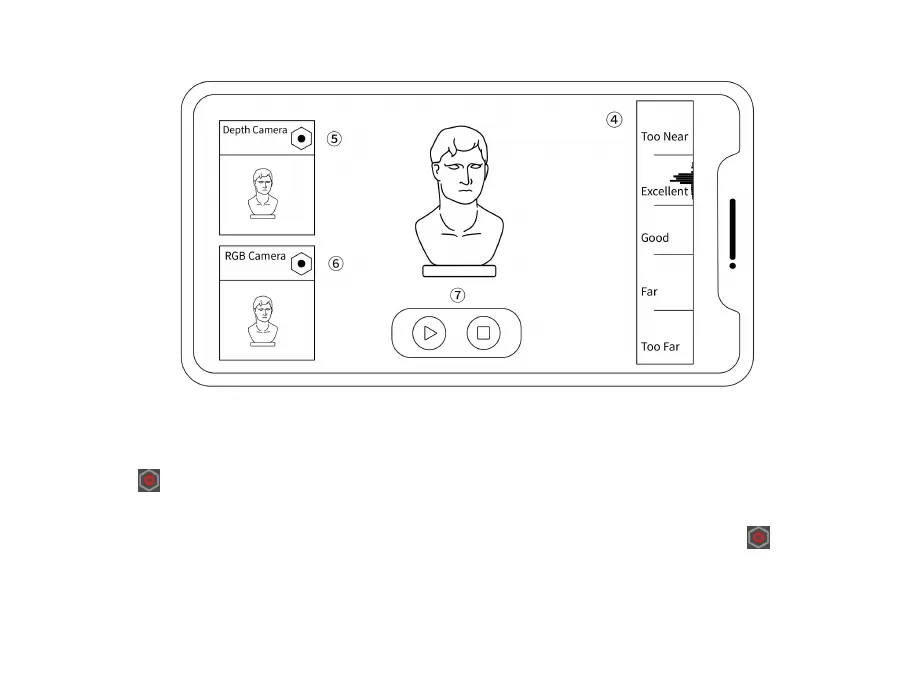
④
Move the scanner closer or further away from the object until the scanning distance indicator bar
shows Excellent or Good.
⑤
Tap the icon in the Depth Camera preview window to adjust the Depth Cameras’ exposure until
there are as few blue and red areas on the object in the preview window as possible.
⑥
You must also adjust the RGB Camera’s exposure when doing a color scan. Tap the icon in the
RGB Camera preview window and adjust the exposure until the object’s color in the preview window
is clear and sharp.



 To Next Page