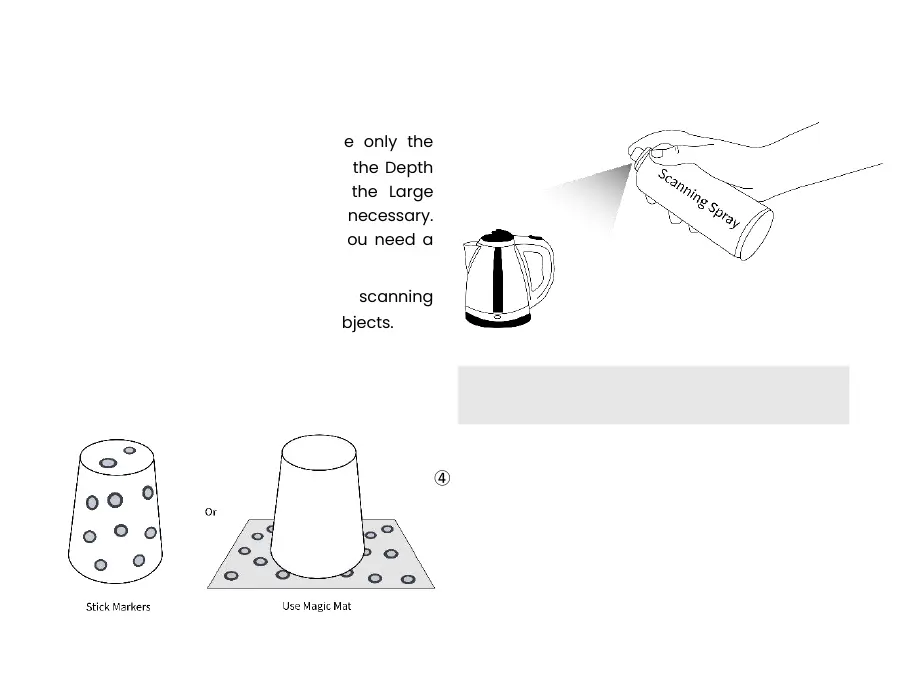
④ Please stick markers irregularly on the object’s
surface or use the Magic Mat when scanning
featureless objects like balls and cylinders, and
choose Marker Tracking in Scan Settings
Tracking Mode in Revo Scan.
① Please scan indoors and ensure only the
object to be scanned is shown in the Depth
Cameras’ preview window. Use the Large
Calibration-board Sheet to help if necessary.
Ensure the object is evenly lit if you need a
color model.
② Use scanning spray when scanning
transparent, dark, and reflective objects.
③ Use scanning spray or adjust the Depth
Camera's exposure when scanning objects
with colored surfaces that absorb blue light.



 To Next Page