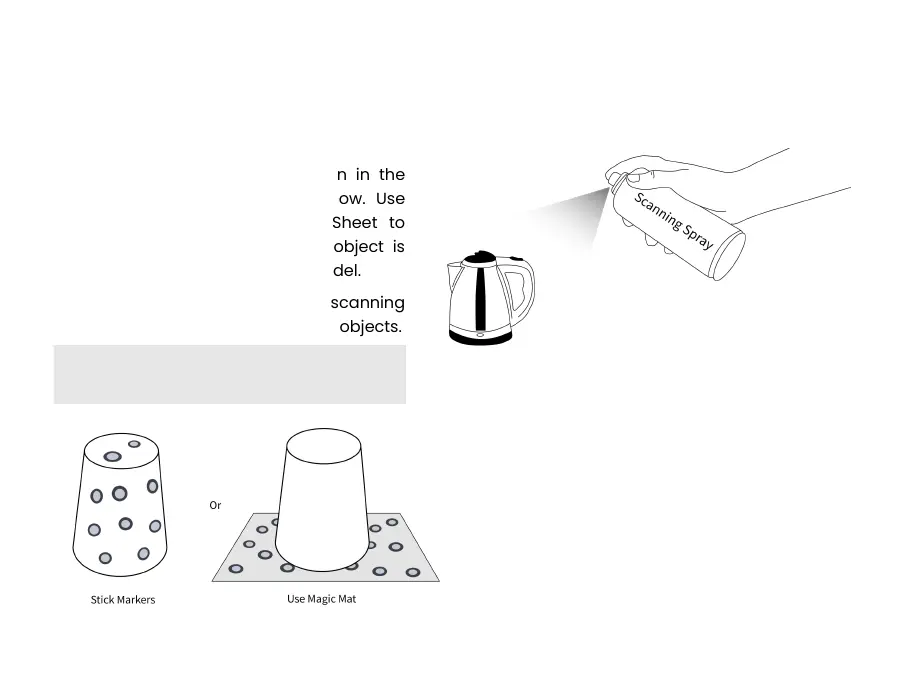
③ Please stick markers irregularly on the
object’s surface or use the Magic Mat
when scanning featureless objects like
balls and cylinders, and choose Marker
Tracking in Scan Settings - Tracking
Mode in Revo Scan.
①
Please scan indoors and ensure only the
object to be scanned is shown in the
Depth Cameras’ preview window. Use
the Large Calibration-board Sheet to
help if necessary. Ensure the object is
evenly lit if you need a color model.
② Use scanning spray when scanning
transparent, dark, and reflective objects.



 To Next Page