III. Your First Scan Using Revo Scan (iOS)
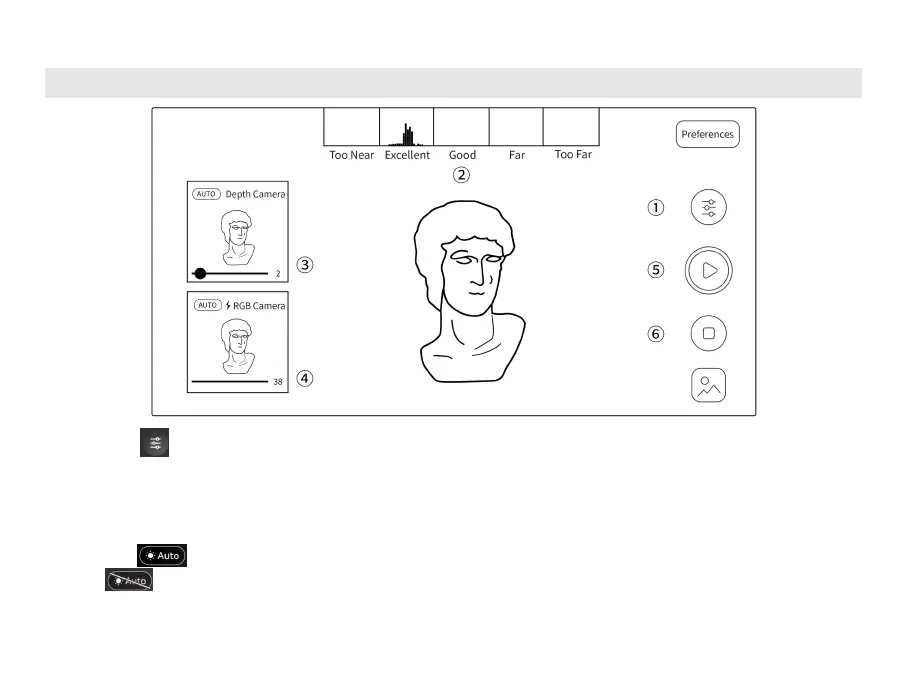
①
Tap the icon to choose Accuracy, Tracking Mode, and Object Type. Toggle Color Scanning if
you need a color model.
②
Move the scanner closer or further away from the object until the scanning distance indicator bar
shows Excellent or Good.
③
Tap the button for the Depth Cameras’ exposure to be set automatically, or you can turn off
the exposure and change the exposure by dragging the slider until there are as few blue
and red areas on the object in the Depth Camera preview window as possible.



 To Next Page