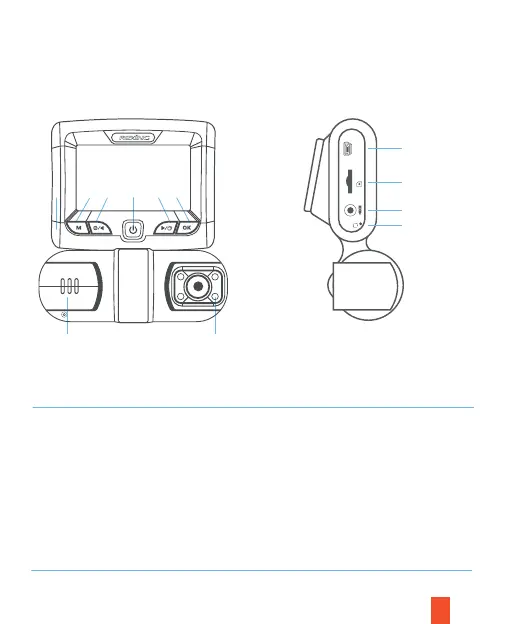
3. Camera Overview
Front Side
4
8
9
10
11
8
2
3
1 5
76
4
1.
Power Button
2. Menu Button / Mode Button
3. Left Navigation Button / Record Button
4. OK (Confirm) Button / Emergency Lock
Button
5. Right Navigation Button / Screen
Toggle Button / Hold to take photo
6. Front Camera
7. 4 IR Lights / Cabin camera
8. Power / USB Charging Port
9. Micro SD Card Slot
10. Rear Camera Port
11. Reset Button
POWER
R



 To Next Page