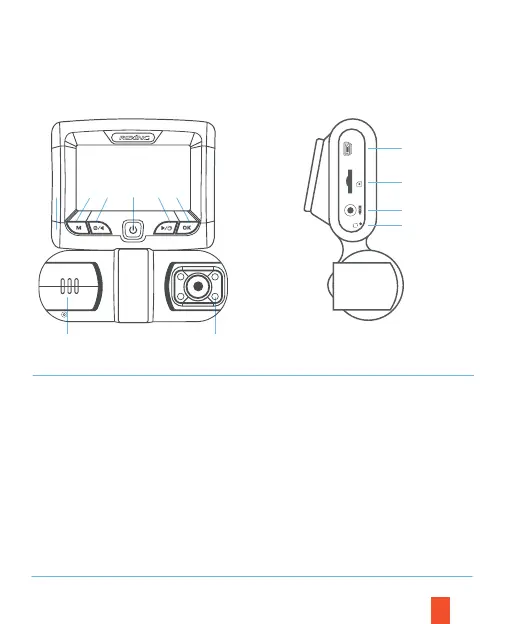
3. Kamera Übersicht
Vorderseite Seite
84
8
9
10
11
8
2
3
1 5
76
4
1. Power-Taste
2. Menütaste / Modustaste
3. Linke Navigationstaste /
Aufnahmetaste
4. OK (Bestätigen) -Taste /
Notverriegelungstaste
5. Rechte Navigationstaste /
Bildschirm-Umschalttaste /
Halten, um ein Foto aufzunehmen
6. Frontkamera
7. 4 IR-Lichter / Kabinenkamera
8. Strom- / USB-Ladeanschluss
9. Micro SD-Kartensteckplatz
10. Hinterer Kameraanschluss
11. Reset-Taste
POWER
R



 To Next Page