3130
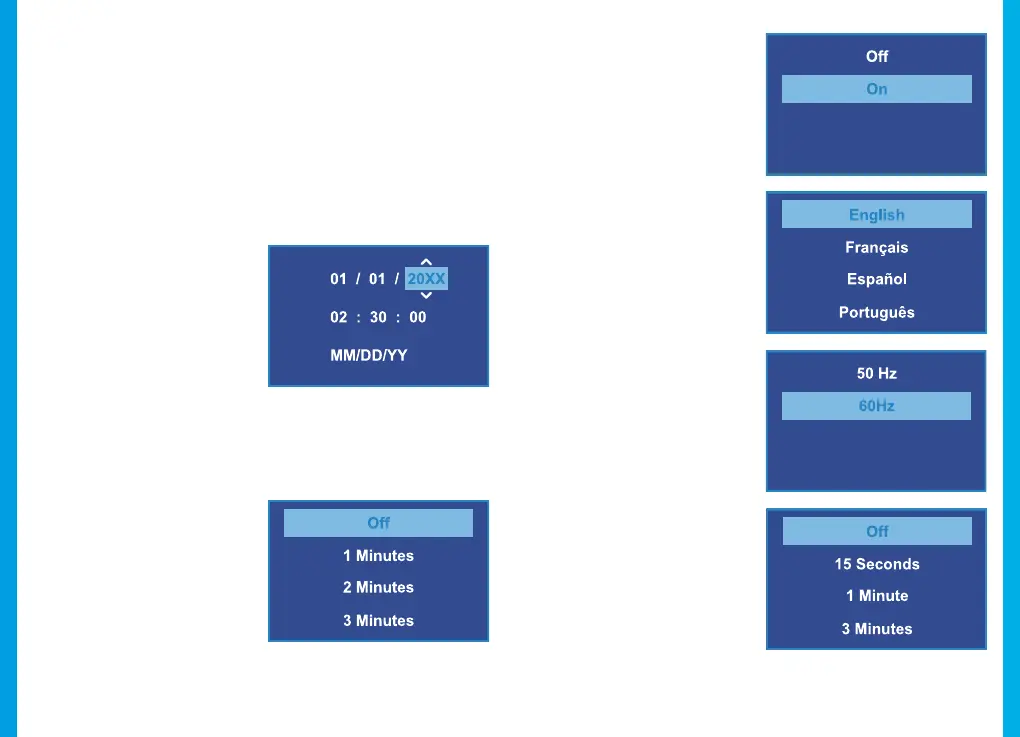
Device Sound
Default setting: On
Enable or disable the device’s
sound eects.
Language
Default setting: English
Set your preferred
device
language.
Frequency
Default setting: 60Hz
Power supply specication
used in your country or
geographical region. United
States users should use 60Hz
(default).
Screen Saver
Default setting: O
Specifies the duration for
which the display will stay on
after the device is powered on.
Having this setting disabled
(default) will keep the display
on constantly. You can press
any button to wake the device
from screen saver mode.
System Settings
Press MENU twice to open the Setup Menu (in Video Recording
Mode, you must first stop recording which is done by pressing
REC).
Wi-Fi
Default setting: O
Turn this feature on to temporarily enable Wi-Fi mode (See
Page 29).
Date/Time
Set the time and date on your
device.
To enter the date/time:
• REC / MIC – Change
current value
• OK – Move to next value
• MENU – Conrm setting
Auto Power O
Default setting: O
When enabled, this feature
allows the device
to shut down
after a period of time in which
the camera isn’t recording.



 To Next Page