Install the Rear Camera
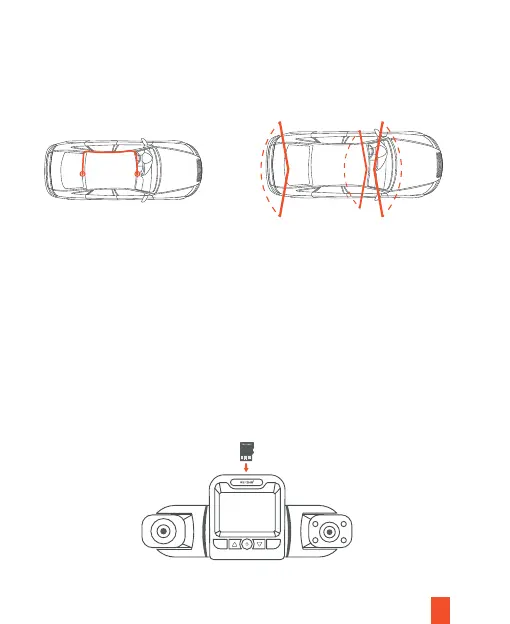
Mount the rear camera as shown below. Use rear camera cable to
connect the rear camera to the front camera.
frontcabinrear
7
Step 3
Step 4
Insert a Memory Card
OKM
You will need to insert a memory card before recording. The dash cam
supports Micro SD cards with a capacity of up to 512GB. For reliable
operation, use a Class 10 memory card with a capacity of at least 32GB.
Depending on the memory card manufacturer and type, some cards may
not be compatible with the device. Using an incompatible card may
damage the device or the memory card, or corrupt the data stored on it.
We strongly recommend formatting the micro SD card on the dash cam
before the initial use. Push the memory card into the slot until it locks in
place.


 To Next Page