Getting Started
Installation
7
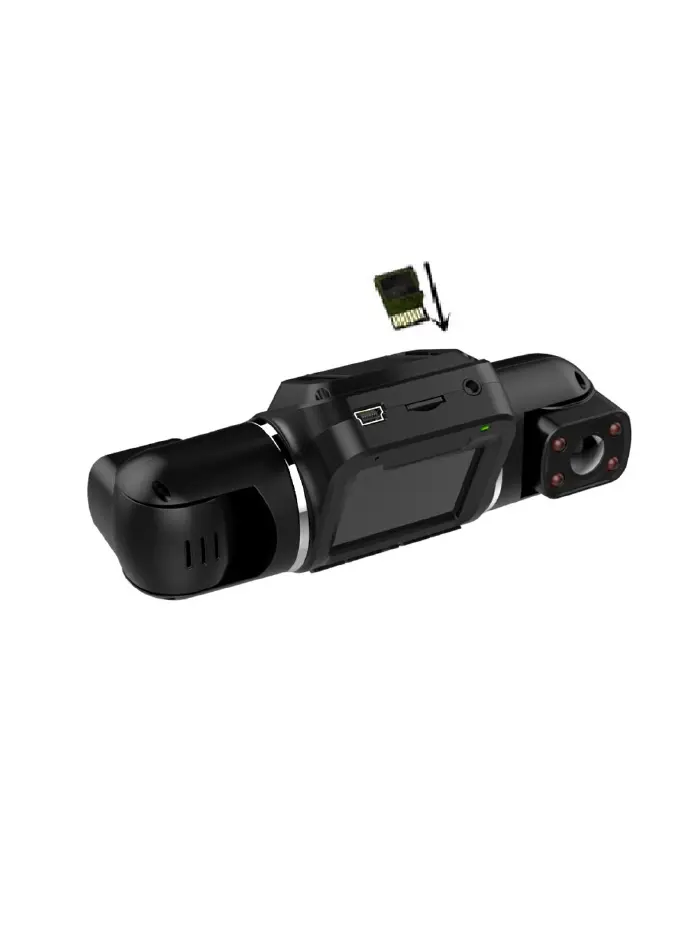
2. Inserting a Memory Card
The V2 PRO accepts Micro SD memory cards (class 10 or higher) with a
maximum capacity of 256GB.
Inserting a memory card
a. If the device is powered on, press and hold the POWER button to power it
down.
b. Insert the card as the orientation shown with the metal strips facing you.
c. Push the card into the slot, listening for a click sound signaling the card is
securely inserted.



 To Next Page