RF Explorer User Manual page 11
For instance, if the Freq Step is configured to 100MHz, clicking on RIGHT will increase the CW
frequency in 100MHz increments everytime the key is pressed, and similarly clicking on LEFT
button will decrease the CW frequency by 100MHz.
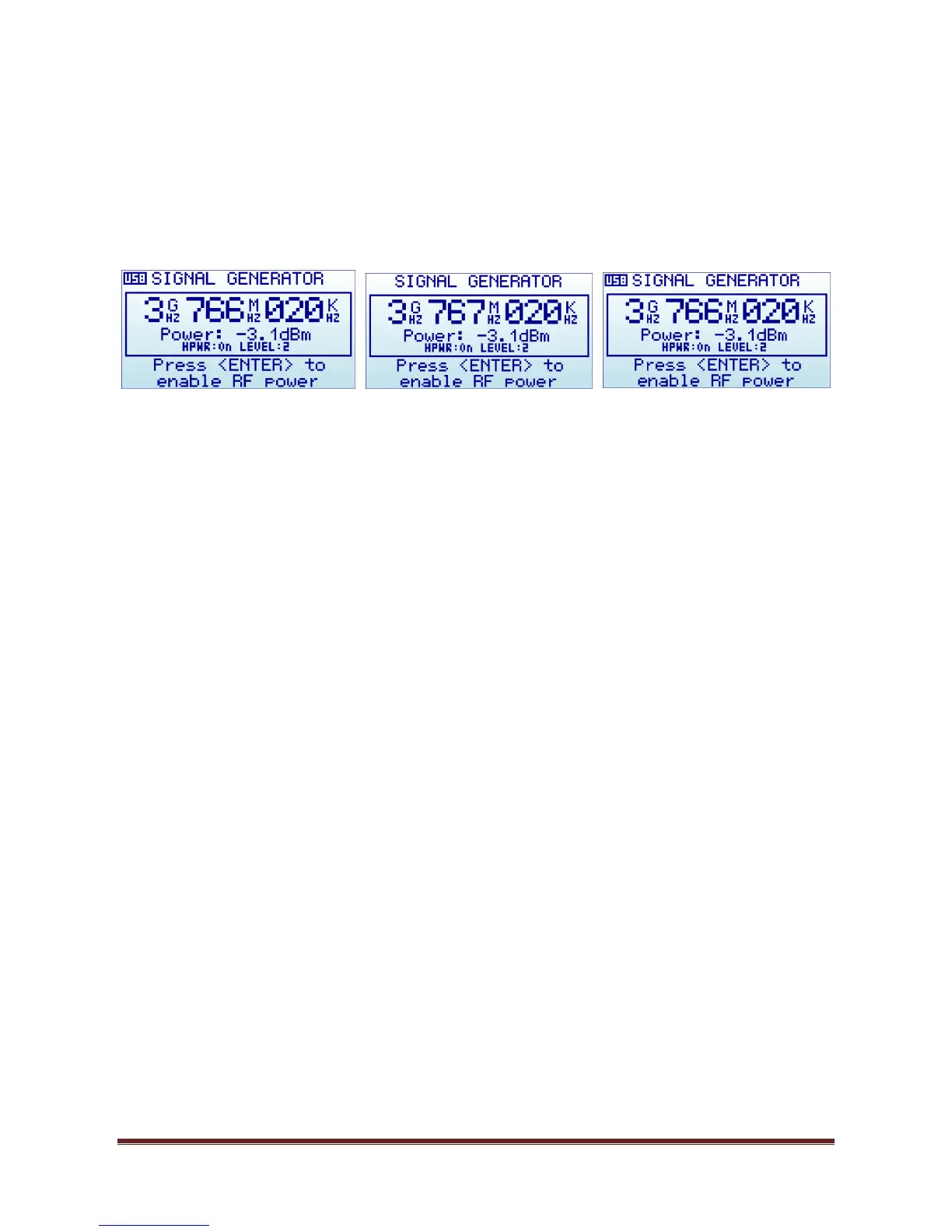
An example of increment from 3,766,020KHz using 1MHz increment step, RIGHT button click
will increase to 3,767,020KHz and then LEFT button click will decrease it back to
3,766,020KHz:
o Using buttons UP and DOWN on this screen will increase or decrease the selected RF power,
one step at a time.
For instance if the unit is in High Power:OFF and Level:1 (lowest possible power) a press on
the UP button will increase into High Power:OFF and Level:2. Another press will increase to
Level:3, etc.
The Level is sequentially increased up to the max level Level:4 and, if the High Power is OFF
at that point, it will be set to ON to increase the power in the next increment with UP button.
For instance if the unit is in High Power:OFF and Level:4, the press of UP button will increase
to High Power:ON and Level:1. See RF power section Understanding RF Power Modes on
page 18 for more details on power level modes.
o Using ENTER key enables and disables RF output power
o Using MENU key goes to the last used menu. Note: if the RF power was enabled, MENU will
automatically disable it to avoid unattended power signal to be active. You can re-enable
power once you get back from MENU configuration.


 To Next Page