RF Explorer User Manual page 22
Amplitude Sweep Mode
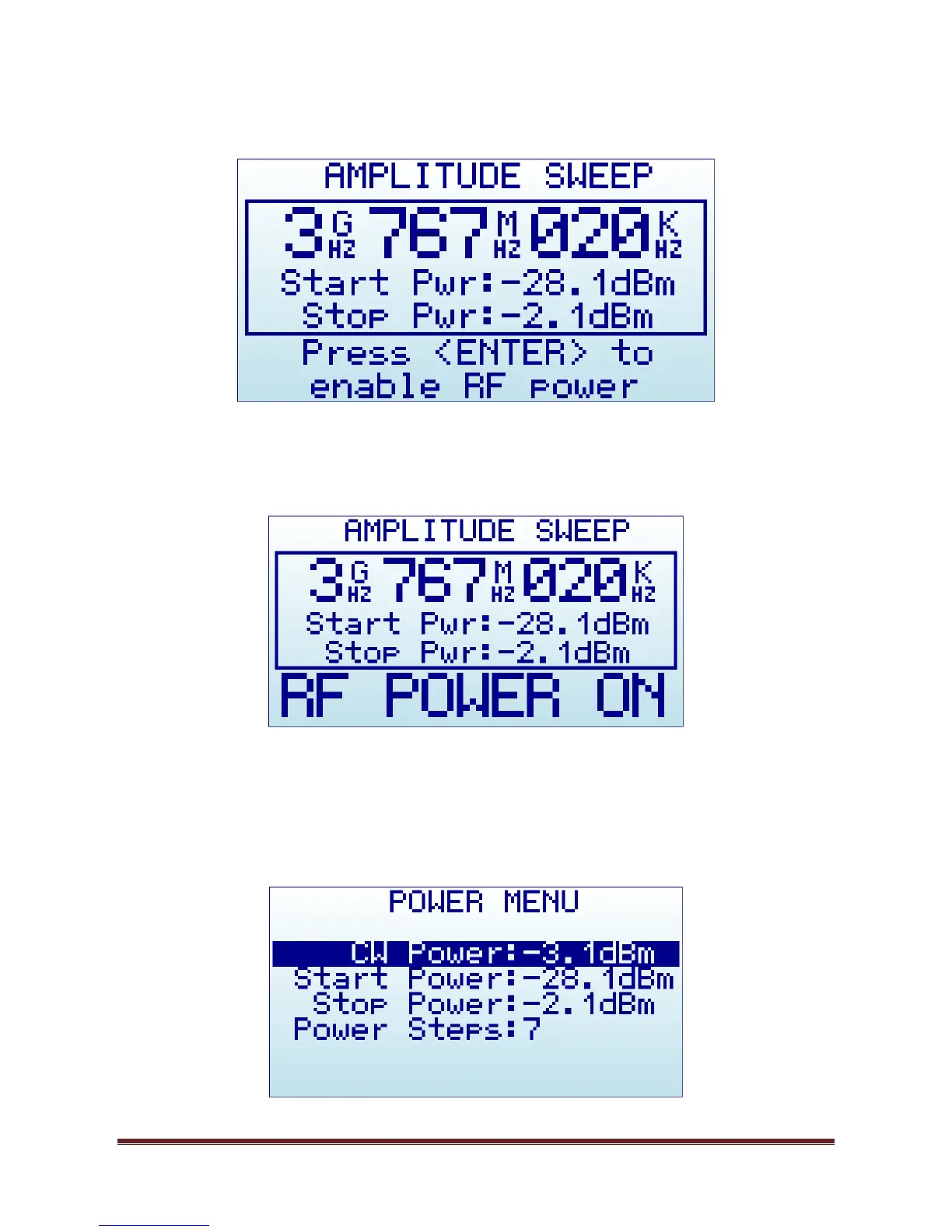
The RF Explorer Signal Generator Amplitude Sweep allows iterative amplitude change at CW frequency using
Step delay.
To start the Amplitude Sweep, press ENTER key. The Sweep will be active until ENTER is pressed again.
Using LEFT and RIGHT buttons the frequency can be decremented/incremented manually, as well as using
the Frequency Menu where Step Delay is also configurable.
In above example, amplitude will sweep from -28.1dBm to -2.1dBm at 3,767,020KHz. The amplitude steps
used for the sweep is determined for the many power levels between Start/Stop levels, in this case 7 steps
total. The number of power levels are displayed in the POWER MENU.


 To Next Page