RF Explorer User Manual page 12
Using menus
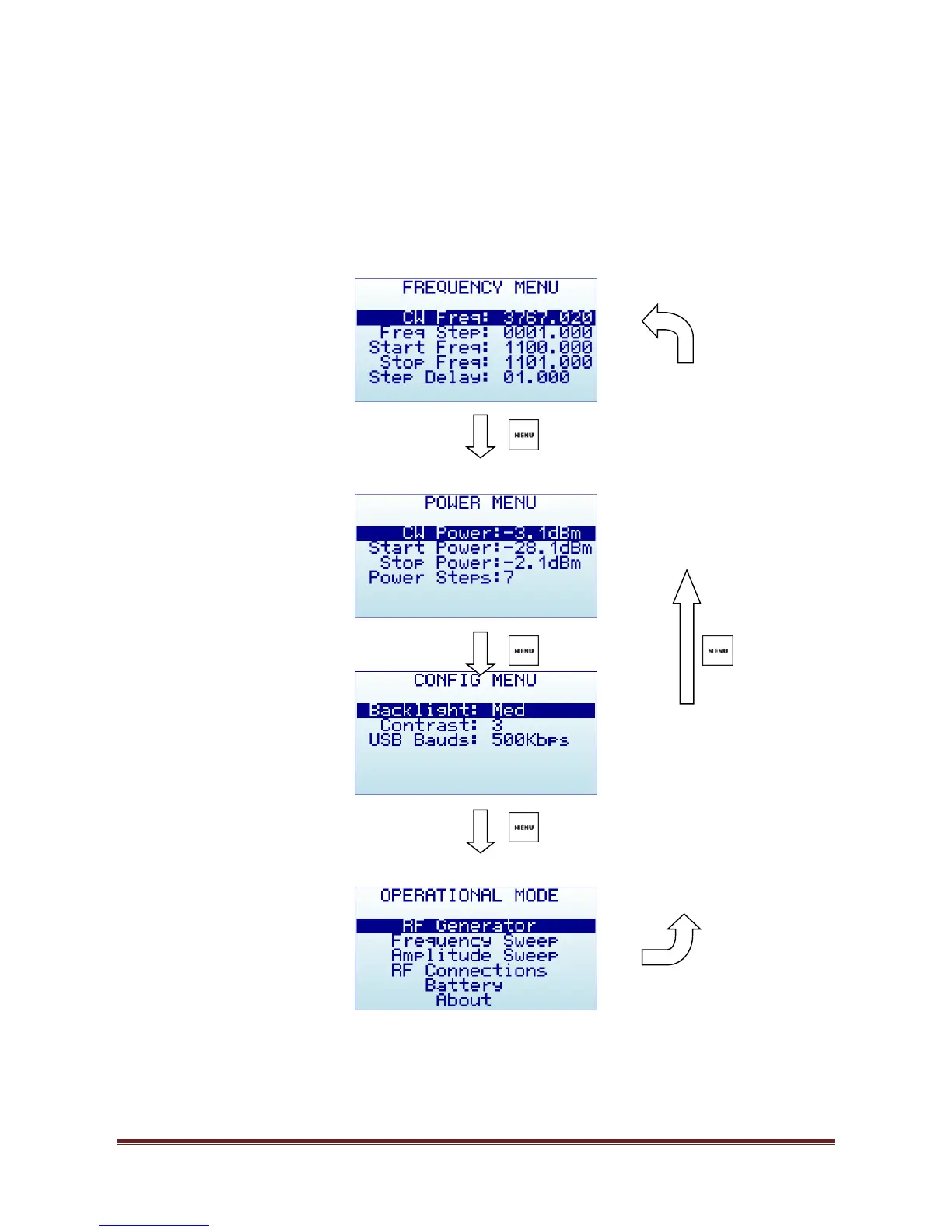
There are several menus in RF Explorer Signal Generator. They are organized on different screens, which you
can iterate through by using the [Menu] key. If you click [Menu] button multiple times, you will visit every
one of them:
Optionally, you can use the [Left] and [Right] keys to go from one screen to another.
You can exit from a menu anytime by using the [Return] key.


 To Next Page