RF Explorer User Manual page 8
Connecting RF Explorer Signal Generator
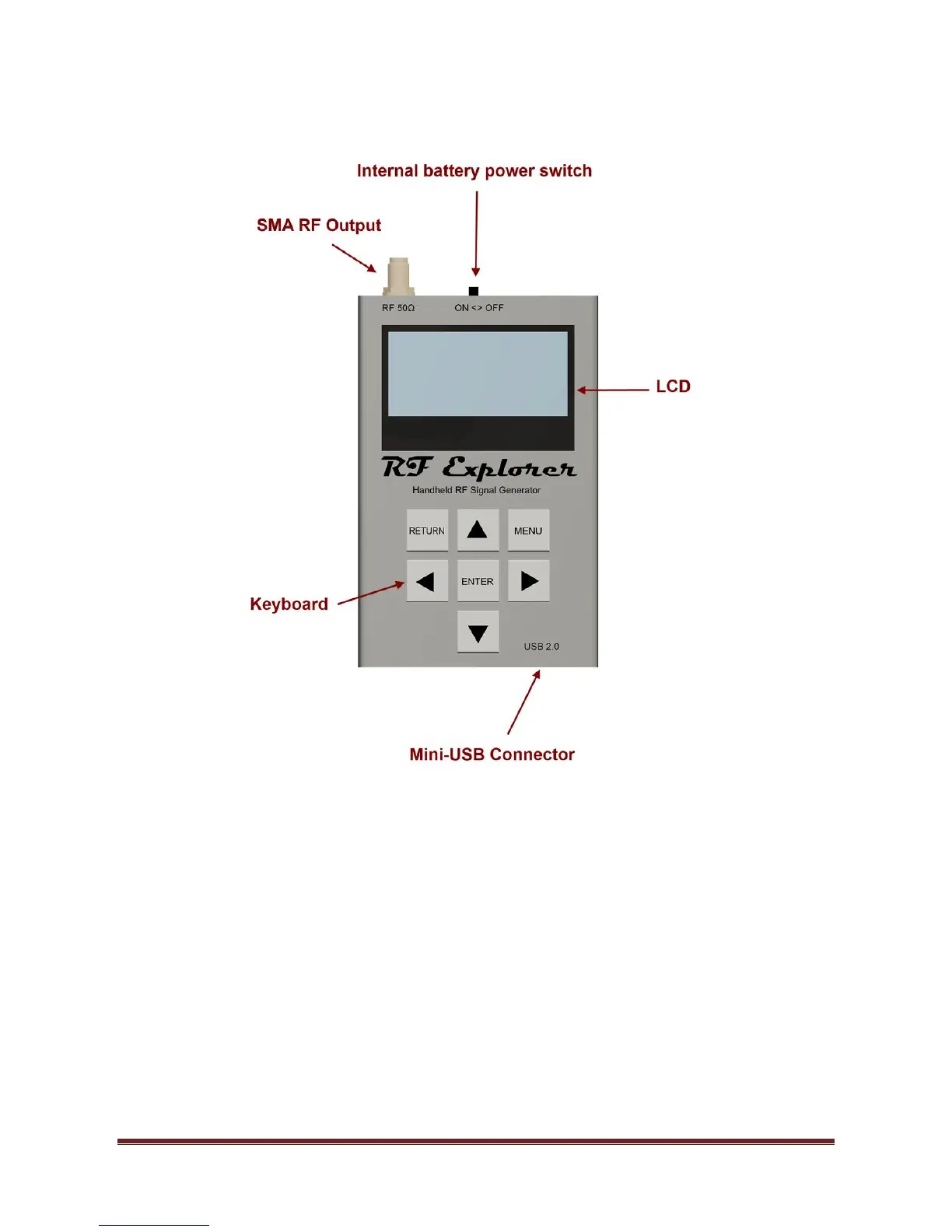
The unit includes 50 ohm impedance RF connector standard SMA format.
All models have a SMA left connector installed and, optionally, some future models may have a second SMA
connector at the right position for extended range and functionality.
The unit will automatically start running on USB power when a compatible mini-USB cable is connected.
Important: The internal battery power switch must be in the ON position for the battery to charge when the
USB cable is connected. The internal battery will not charge when the power switch is in the OFF position.
Note: There are a number of SMA adapters to easily interface RF Explorer SMA connector to any other
standard RF connector format, including BNC, N, RP-SMA, etc. For more information of adapters available
see section RF Explorer accessories in page 30.


 To Next Page