RF Explorer User Manual page 9
Signal Generator CW mode - Main Screen
Upon start, RF Explorer Signal Generator goes to this mode automatically.
The RF output power is disabled by default and it is important to connect a LOAD in all cases before enabling
the RF port.
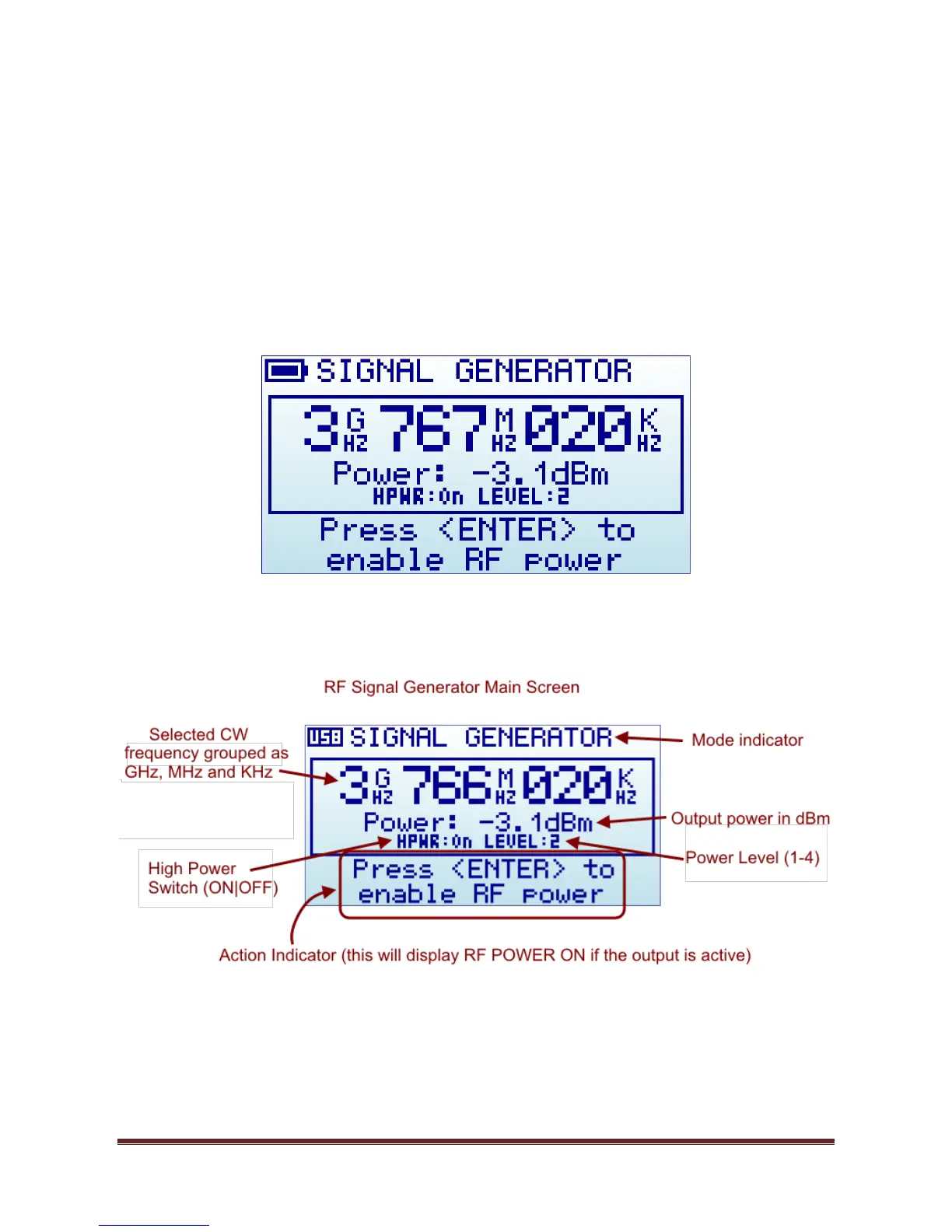
The below screen is an example of a RF signal generator mode configured at 3.767020GHz. This is organized
visually in GHz, MHz and KHz for easy reading.
The internal High Power switch to ON, and the power level in mode 2 (levels are 1-4). This result in (-3.1dBm)
output at this frequency.
All elements on screen are important parameters to understand how the Signal Generator is working at any
given time.
The available indicators are:
Selected CW frequency: This is the currently selected carrier (or CW) frequency, expressed in GHz,
MHz and KHz. It can be modified in the FREQUENCY MENU.


 To Next Page