RF Explorer User Manual page 20
Frequency Sweep mode
The RF Explorer Signal Generator Frequency Sweep mode allows iterative hops over Start Frequency and
Stop Frequency defined by a Step Frequency and a Step delay.
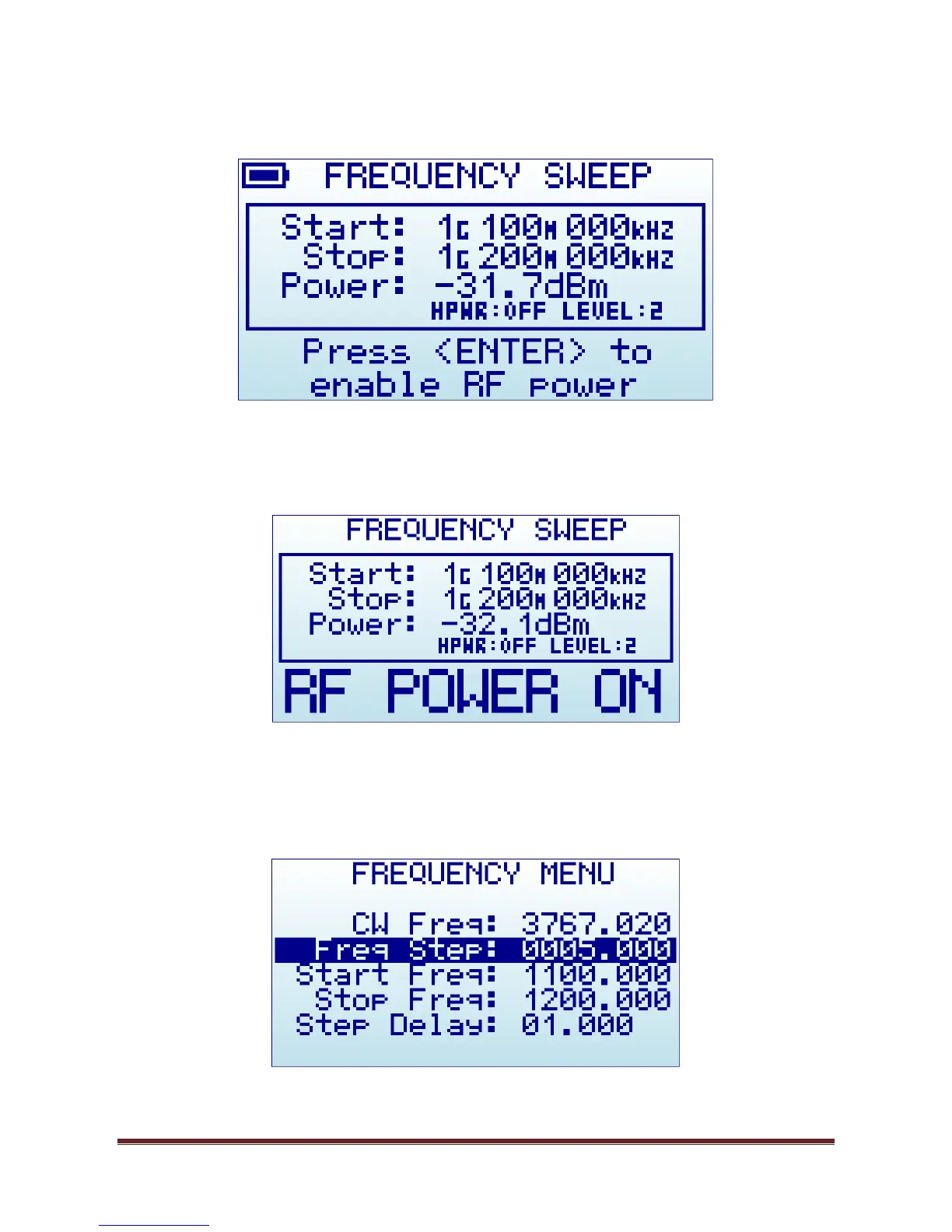
To start the Frequency Sweep, press ENTER key. The Sweep will be active until ENTER is pressed again.
In above example, Frequency Start is 1,100.000MHz and Frequency Stop is 1,200.000MHz. The nominal
power level is -31.7dBm with High Power:OFF and Level:2. Using UP and DOWN button will change power
level one step at a time.
The Frequency Step and Step delay used for the sweep is defined in the FREQUENCY MENU.


 To Next Page