3.3 Vehicle Modem
The TXMOD bundle should come supplied with a vehicle modem that has the required firmware
version. If that is the case, the easiest way to configure it is through the browser interface explained
in section 3.2.3.
However if the modem is not the one supplied with the kit, or the TXMOD firmware has been
updated, or the modems are not connecting, the vehicle modem can be should be configured or
updated with an FTDI cable and the RFD900 Tools.
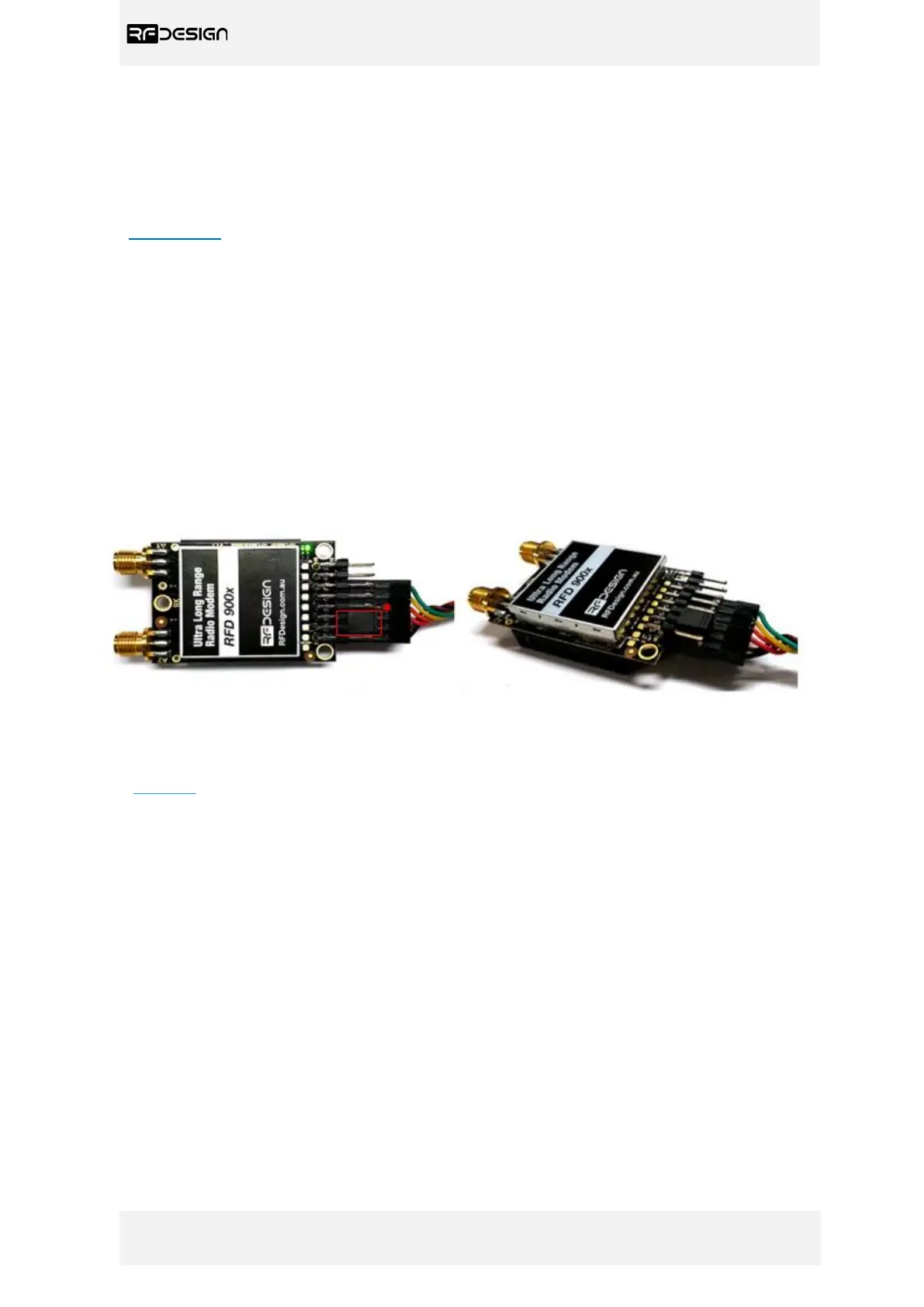
- Connect the FTDI cable. The black wire of the FTDI, i.e. pin 1, should connect to pin 1 on the lower
row of modem header
- Ensure the jumper is fitted as per figure 13. The jumper should connect the second and third pins,
aka pin 4 and 6, on the top row of the modem header.
Figure 13 - Modem connected to FTDI cable (pins 1,3,5,7,9,11) to enable serial communications. *Jumper connection (pins
4&6).
To configure the modem using the RFD900 tools. Download and install the software using the links
on section 7 if it is not installed on your computer yet.


 To Next Page