User manual: Installation and Operation of Direction Finder System RHOTHETA RT-600 / SAR-DF 517
- 15 -
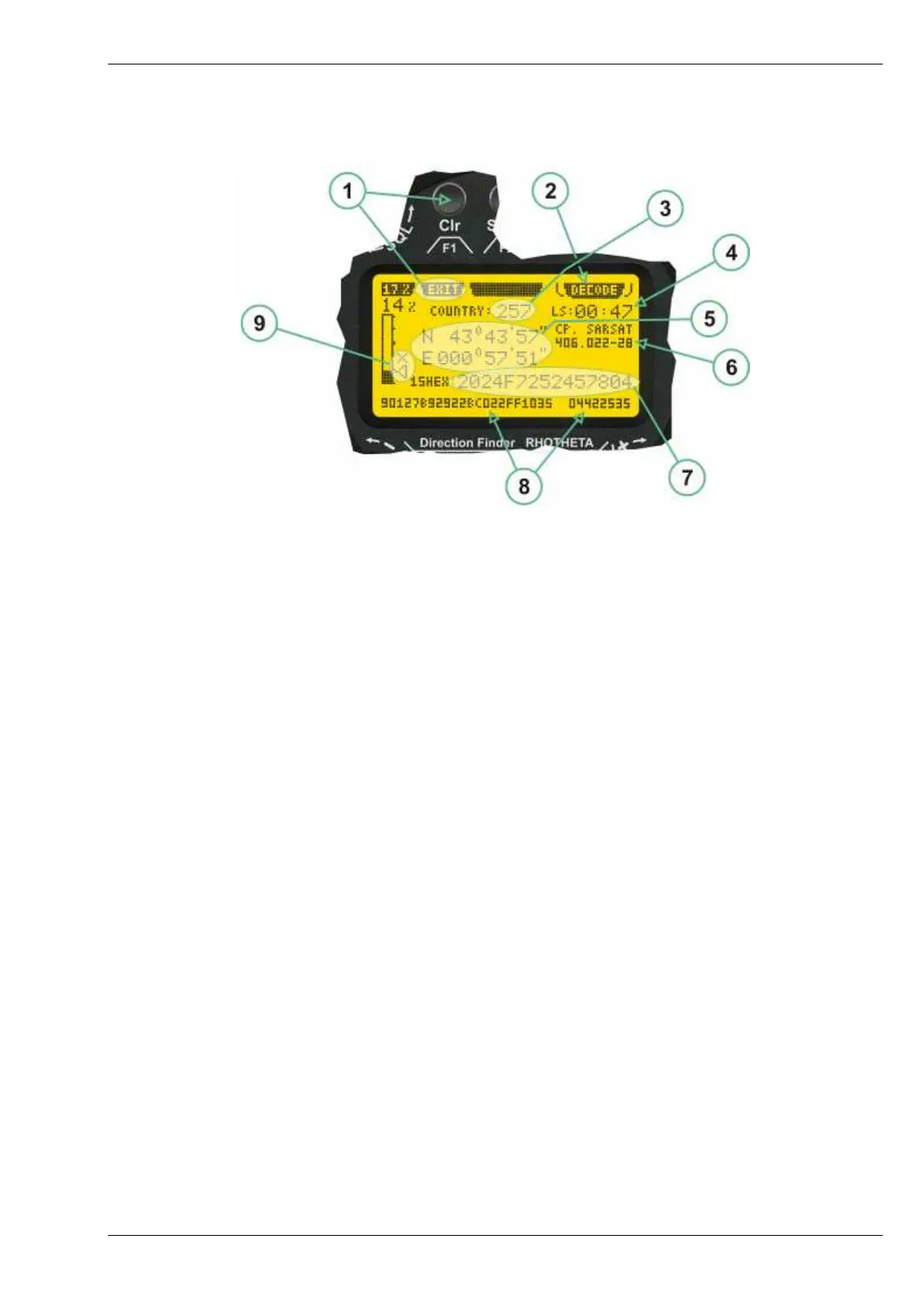
2.2.4 COSPAS-SARSAT Decode Window
The COSPAS-SARSAT Decode Window allows decoding incoming COSPAS-SARSAT data messages.
COSPAS-SARSAT Decode Window
(1) >Exit< push button (F1 button) allows to leave the decode window and to go back to the COSPAS-
SARSAT bearing mode window.
(2) >Decode< in the upper right corner of the display indicates that the decode function is activated.
(3) >Country< displays the COSPAS-SARSAT Country Code coded into the received data message.
(4) >Last Signal< time since the last COSPAS-SARSAT message has been received in minutes:seconds
format.
(5) >Position< field showing, in case of location protocols being used by the beacon, the encoded GNSS
position data (latitude / longitude) transmitted by the beacon.
(6) >Range< field showing the range of COSPAS-SARSAT channels covered by the actual receive frequency
setting.
(7) >15-HEX-ID< 15-HEX-ID of the beacon in hexadecimal format.
(8) >Data string< of the bits 25 to 112 of the COSPAS-SARSAT data burst in case of short messages, and
bits 25 to 144 in case of a long message format. The last 8 Hex Values are separated by a blank. Bit- and
Frame-synchronization hex values (Bits 1 to 24) are suppressed to increase the readability of the data
message.
(9) >X< sign to indicate that the Squelch is controlled by the antenna unit for optimum sensitivity. The user
has no access to the Squelch setting.



 To Next Page