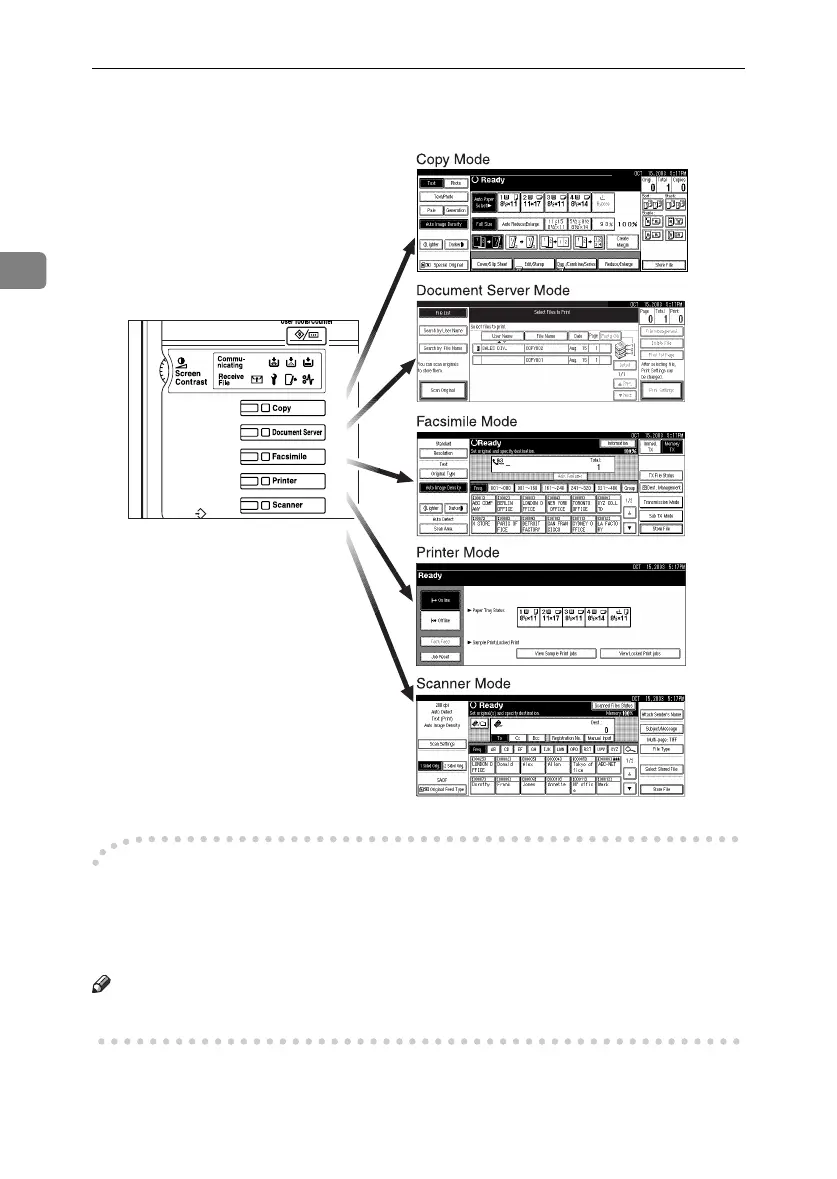
Combined Function Operations
28
2
❒ The copying screen is displayed as default after power on. You can change
this default setting. See p.51 “Function Priority”.
-
--
-System Reset
The machine returns automatically to its initial condition when the job is fin-
ished, after a certain period of time has elapsed. This function is called "System
Reset".
Note
❒ You can change the System Reset time. See p.58 “System Auto Reset Timer”.
ZLFS290N
RussianC3_ENgsg-F_FM.book Page 28 Monday, June 16, 2003 6:48 PM






 To Next Page