User Tools (System Settings)
48
4
❖
❖❖
❖ Tray Paper Settings (See p.55 “Tray Paper Settings”.)
❖
❖❖
❖ Timer Settings (See p.58 “Timer Settings”.)
❖
❖❖
❖ Interface Settings
• For details about network settings, see “User Tools Menu (System Set-
tings)”, Network Guide.
• For details about parallel interface, see “System Settings (Parallel Collec-
tion)”, Printer Reference 2.
❖
❖❖
❖ File Transfer
• For details about network settings, see “User Tools Menu (System Set-
tings)”, Network Guide.
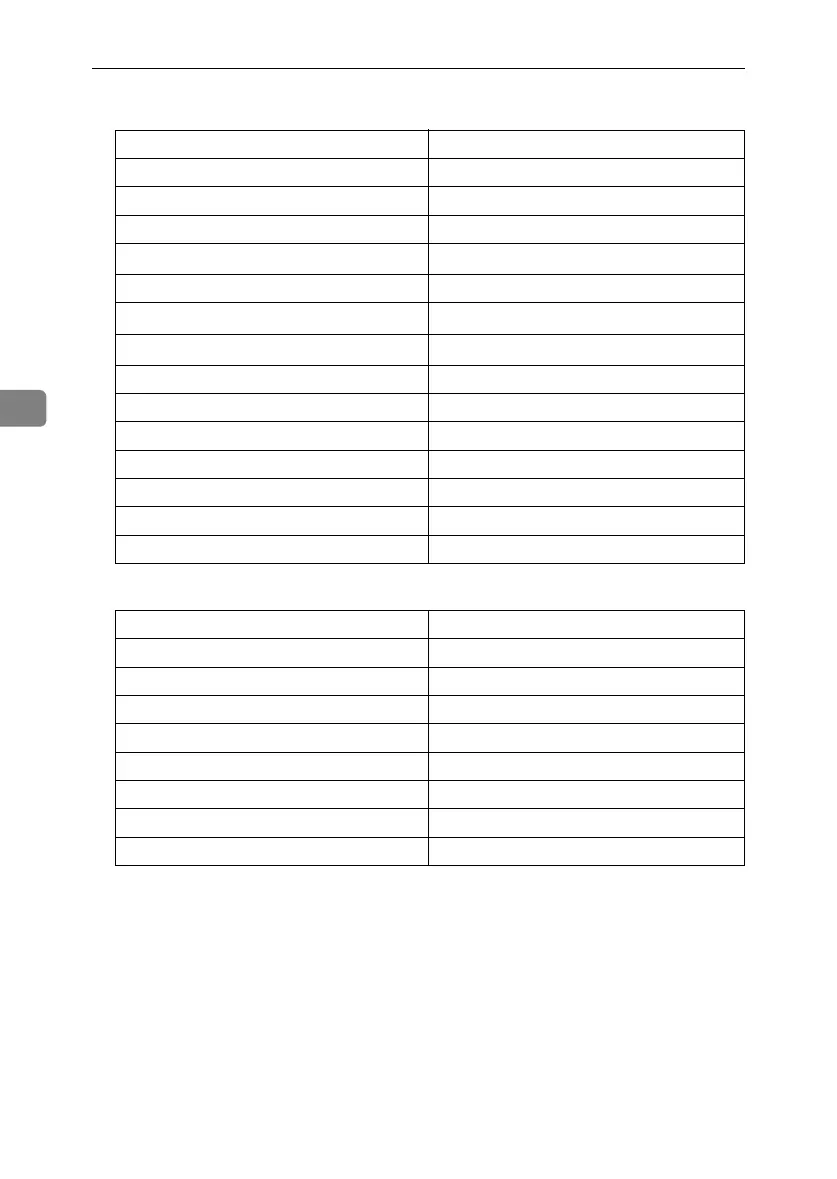
Default
Paper Tray Priority: Copier Tray 1
Paper Tray Priority: Facsimile Tray 1
Paper Tray Priority: Printer Tray 1
Tray Paper Size: Tray 1
A4
K
, 8
1
/
2
"
×
11"
K
Tray Paper Size: Tray 2 A3
L
, 11"
×
17"
L
Tray Paper Size: Tray 3
A4
L
, 8
1
/
2
"
×
11"
L
Tray Paper Size: Tray 4
A4
L
, 8
1
/
2
"
×
14"
L
Paper Type: Bypass tray No display
Paper Type: Tray 1 No display/2 Sided Copy/Auto Paper Select on
Paper Type: Tray 2 No display/2 Sided Copy/Auto Paper Select on
Paper Type: Tray 3 No display/2 Sided Copy/Auto Paper Select on
Paper Type: Tray 4 No display/2 Sided Copy/Auto Paper Select on
Cover Sheet Tray Off
Slip Sheet Tray Off
Default
Auto Off Timer 1 minute(s)
Panel Off Timer 1 minute(s)
System Auto Reset Timer 60 seconds
Copier/Document Server Auto Reset Timer 60 seconds
Facsimile Auto Reset Timer 30 seconds
Scanner Auto Reset Timer 60 seconds
Set Date --
Set Time --
RussianC3_ENgsg-F_FM.book Page 48 Monday, June 16, 2003 6:48 PM




 To Next Page