Printer Features
36
5
Printer Features Parameters
Paper Input
❖
❖❖
❖ Bypass Paper Size
The paper size for the bypass tray.
Reference
For more information about pa-
per sizes that can be set in the
bypass tray, see General Settings
Guide.
For information about setting
paper in the bypass tray, see
Printer Reference 1.
Note
❒ Default:
• Metric version: A4
• Inch version: 11 × 8/
List/Test Print
❖
❖❖
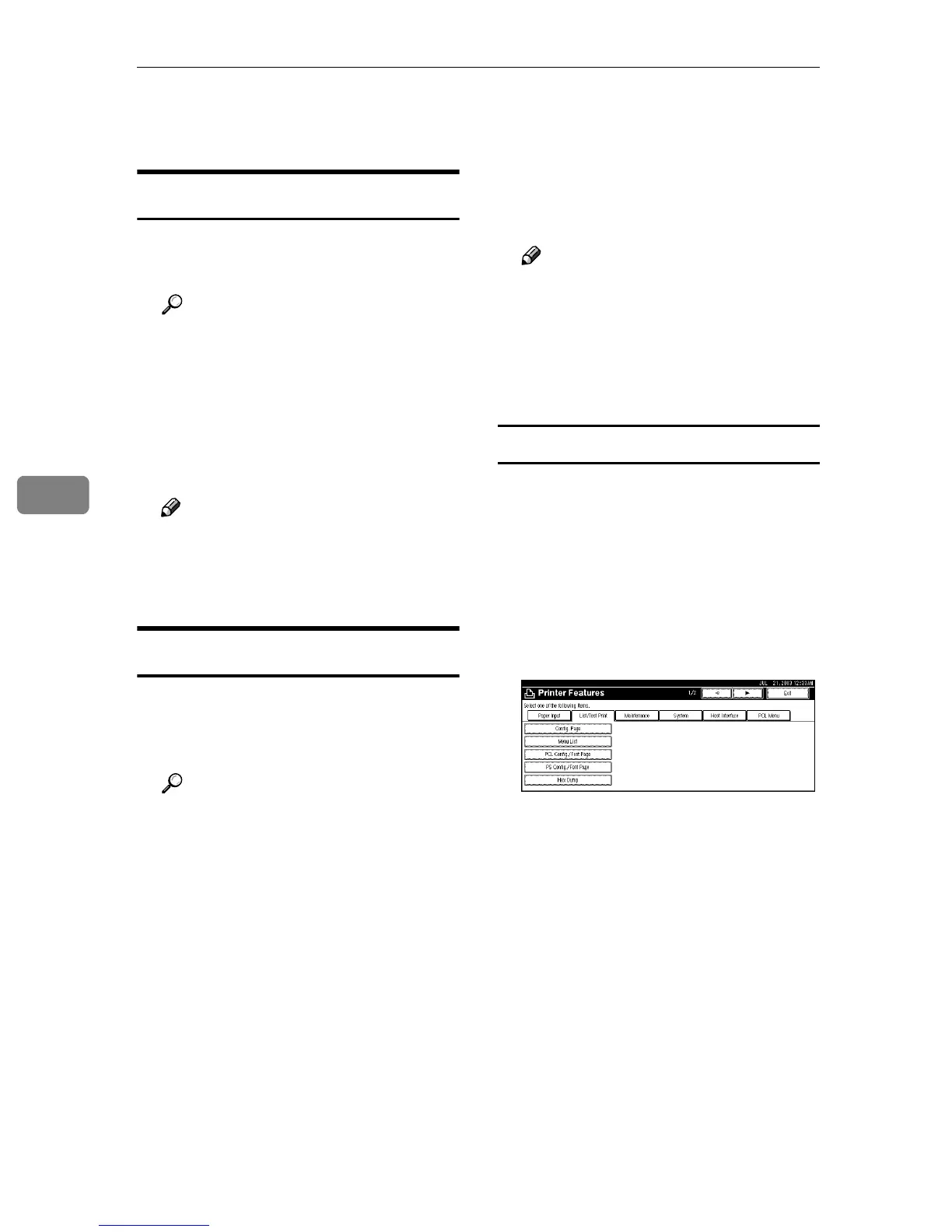
❖ Config. Page
You can print the current configu-
ration of the machine.
Reference
See p.36 “Printing the Configu-
ration Page” to print a configu-
ration page.
❖
❖❖
❖ Menu List
You can print a Menu List that
shows the machine's function
menus.
❖
❖❖
❖ PCL Config./Font Page
You can print the current configu-
ration of installed PCL fonts.
❖
❖❖
❖ PS Config./Font Page
You can print the current configu-
ration of installed PostScript fonts.
Note
❒ This menu can be selected only
when the optional PostScript 3
board is installed.
❖
❖❖
❖ Hex Dump
You can print the Hex Dump.
Printing the Configuration Page
A
AA
A
Press the {
{{
{User Tools/Counter}
}}
} key
on the control panel.
The User Tools/Counter menu ap-
pears.
B
BB
B
Press [Printer Features].
The Printer Features menu ap-
pears.
C
CC
C
Press [Config. Page] on the [List/Test
Print] tab.
The configuration page is printed.



 To Next Page