Printing on Both Sides of Paper
Specify 2-sided Print in the printer driver.
Specifying 2-sided Print (Windows)
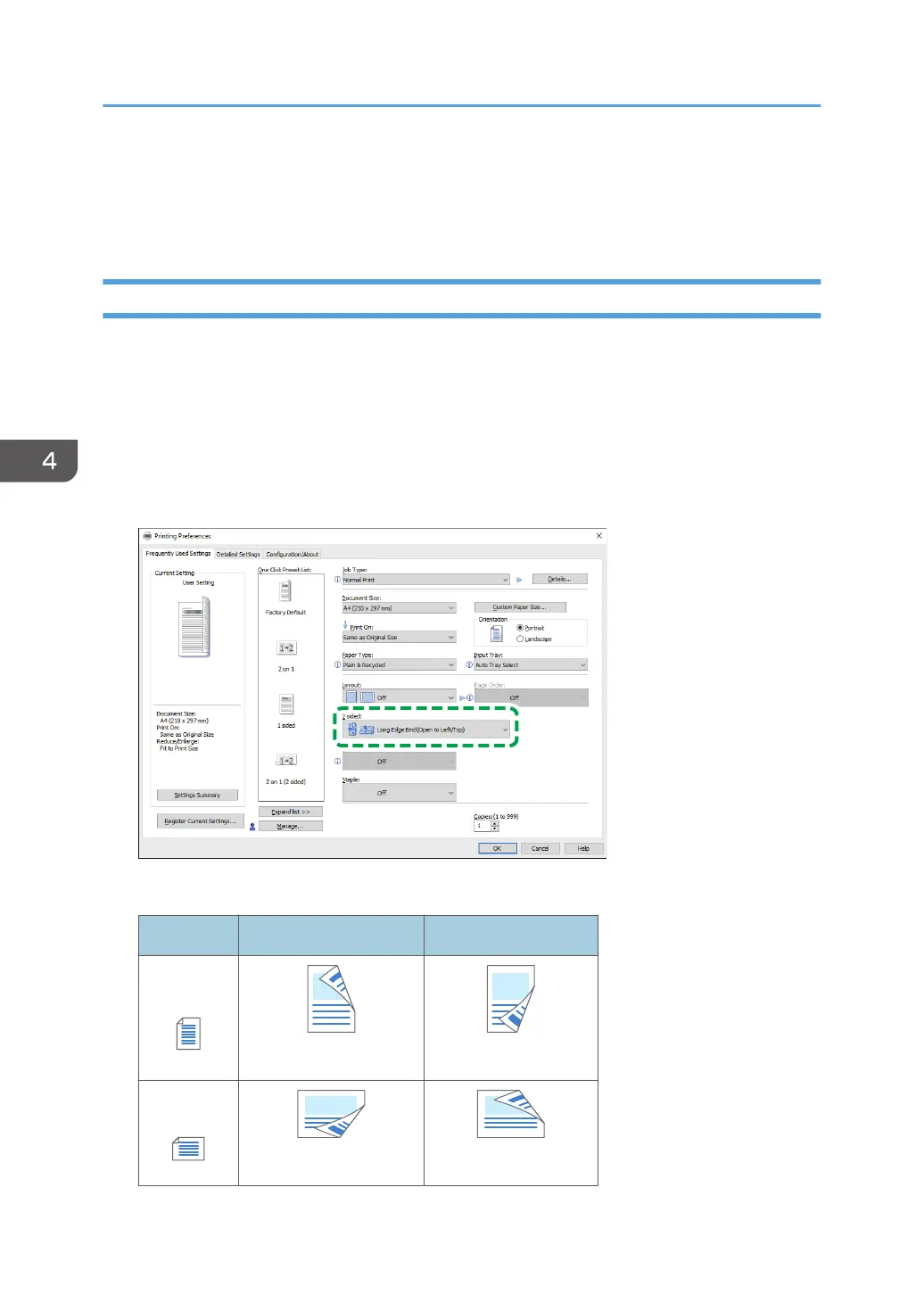
Specify 2-sided Print on the [Frequently Used Settings] tab.
1. Open a document to print on the computer, and display the setting screen of the printer
driver from the print menu in the application.
2. Specify Paper Size, Paper Type, Orientation and others.
page 129 "Basic Procedure for Printing Documents"
3. On the [Frequently Used Settings] tab, specify the binding side of the paper in "2 sided".
Orientation of the original and binding side
Orientation Long Edge Bind Short Edge Bind
Portrait
(Open to left) (Open to top)
Landscape
(Open to top)
(Open to left)
4. Print
134



 To Next Page