Switching between tractored and tractorless forms
Before you begin
Before doing this procedure, ensure that the center front and center top covers of
the printer are open so that you can access the forms input area and the transfer
station.
About this task
This procedure describes how to switch the type of forms without having to
manually reload the forms already in the printer. This procedure assumes you
already have forms loaded in the printer and you are switching from tractorless to
tractored forms or from tractored to tractorless forms. “Paper paths” on page 70
illustrates the paper paths on InfoPrint 4100 models for tractorless and tractored
roll-feed and fan-fold forms.
Note: If you are using preprocessing or postprocessing devices with the printer,
some steps involving the source and final destination of the forms may change.
The provider of the preprocessing or postprocessing devices supplies specific
instructions for the initial loading and exiting of forms from the printer output
area.
Because you will be working inside the printer covers, we recommend that you
use the printer operator panel of the affected printer whenever possible, especially
while working on Printer 1.
You will do the following steps to switch between types of forms:
v Feed the new forms through the printer. See “Feeding new forms through the
printer” on page 138.
v Adjust the printer for the new forms. See “Adjusting the printer for new forms”
on page 141.
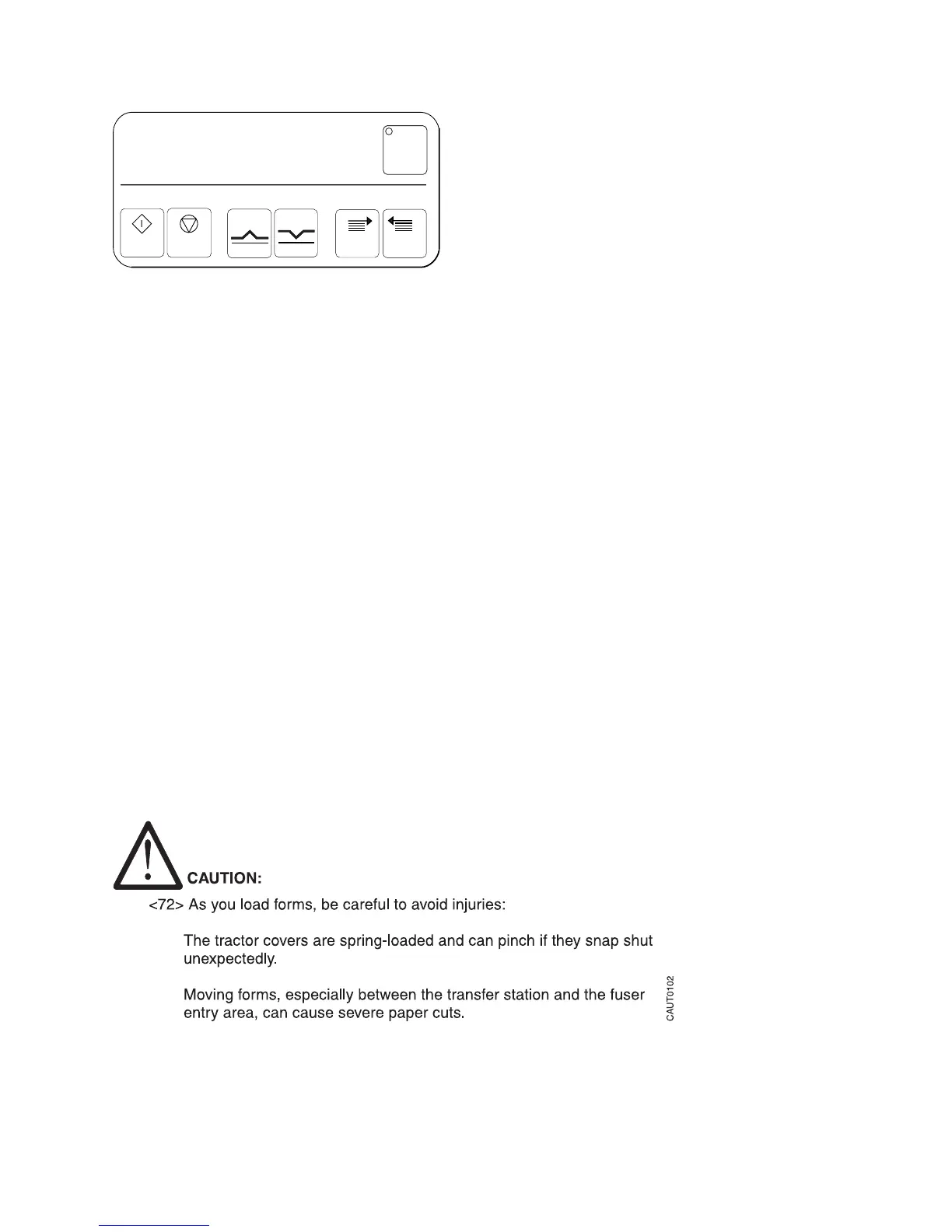
Toner
Mark
Reverse
Auto Load
Forms Set Forms Feed
Load STOP Forward
IC3U0032
Figure 53. Forms Set key on the printer control panel
Chapter 5. Working with forms 137




 To Next Page