EasyManua.ls Logo

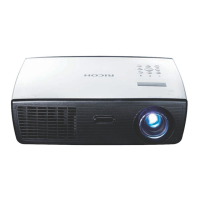
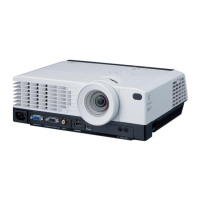
Ricoh PJ X3340N - User Manual

Ricoh PJ X3340N
160 pages
Print Icon
To Next Page IconTo Next Page
Loading...
For safe and correct use, be sure to read the Safety Information in
"Read This First" before using the machine.
Appendix
Maintenance
Troubleshooting
Changing the Projector Settings
Using the Projector via a Network
Projecting Images from a USB Memory
Device or Digital Camera
Projecting an Image
Preparations for Using the Projector
Operating
Instructions

Table of Contents

Other manuals for Ricoh PJ X3340N

Questions and Answers

  • R
    Robert WilsonSep 18, 2025
    How to troubleshoot image not projected normally on Ricoh Projector?
    • E
      Emily MathewsSep 18, 2025
      To troubleshoot an image that is not projected normally on your Ricoh Projector: * Make sure the input signal is compatible with the projector. * Check the status of the video tape or other video source. * Execute [Auto Set Signals] in [Image Adjustment]. * Check the settings of the computer's graphics driver.
  • L
    Lindsay GrantAug 25, 2025
    What does it mean if the lamp does not turn off and flashes every 2 seconds on Ricoh PJ X3340N Projector?
    • V
      vasquezraymondAug 25, 2025
      If the lamp on your Ricoh Projector does not turn off and flashes every 2 seconds, the projector has malfunctioned. Disconnect the power cord, wait a while, and then turn the projector on again. If the problem persists, contact your service representative.
  • N
    Nathaniel DixonAug 25, 2025
    How do I fix a dark image on my Ricoh PJ X3340N?
    • J
      jessica84Aug 26, 2025
      To address a dark image on your Ricoh Projector: * Check the settings of [Brightness] and [Contrast] in [Image Adjustment]. * Make sure the lamp is not near the end of its service life. * Check the settings of [RGB Input Range] in [Image Adjustment]. * Make sure [3D Projection] in [Display Settings] is set to [Off].
  • J
    Julie RodriguezAug 27, 2025
    Why does my Ricoh Projector display a temperature error and shut off?
    • D
      donnaharperAug 27, 2025
      If the Ricoh Projector displays a "Temperature Error" and turns off, it could be due to overheating or use in a high-temperature environment. Ensure that the projector's intake and exhaust vents are not blocked to allow proper ventilation. Then, disconnect the power cord, wait for a while, and turn the projector on again.
  • J
    John GrahamSep 22, 2025
    How do I fix a Ricoh PJ X3340N remote control that does not respond?
    • M
      moyerhenrySep 22, 2025
      If the remote control for your Ricoh Projector does not respond: * Make sure the ID assigned to the remote control and in the settings of [Remote Control ID] in [Default Settings 2] are the same. * Make sure the batteries in the remote control are not dead. * Make sure the batteries are correctly loaded into the remote control. * Make sure the remote control is inside its effective range. * Make sure there is nothing placed between the remote control and the projector. * Make sure the remote control receiver is not exposed to strong light.
  • A
    Anthony ThomasSep 23, 2025
    How to troubleshoot no images from USB devices on Ricoh PJ X3340N Projector?
    • A
      Andrew YangSep 23, 2025
      To troubleshoot why there are no images from USB devices on your Ricoh Projector: * Make sure the USB memory device is connected correctly. * Make sure the connected USB memory device is compatible with the projector. * Make sure there are JPEG or MPEG files saved on the USB memory device. * Make sure the compression format, file size, and other conditions are compatible with the projector.
  • E
    Elizabeth LeeSep 9, 2025
    What to do if my Ricoh PJ X3340N Projector turned off and the lamp flashes every 1 second?
    • J
      Jocelyn LittleSep 10, 2025
      If your Ricoh Projector turned off during operation, or it does not turn on and flashes every 1 second, disconnect the power cord, and reinstall the lamp cover correctly.
  • E
    ehardingSep 12, 2025
    Why does my Ricoh Projector display 'Fan Error' and turn off?
    • P
      Paul GuerreroSep 12, 2025
      If your Ricoh Projector displays a 'Fan Error' and turns off, the cooling fan in the projector has malfunctioned. Disconnect the power cord and contact your service representative.
  • M
    Michael GonzalezSep 3, 2025
    Why does my Ricoh PJ X3340N not turn on?
    • M
      Matthew GarciaSep 3, 2025
      If your Ricoh Projector doesn't turn on, it may have malfunctioned. Disconnect the power cord and contact your service representative.
  • C
    christopheroneillSep 1, 2025
    Why won't the lamp on my Ricoh PJ X3340N turn off and keeps flashing?
    • K
      Keith Gonzalez DVMSep 1, 2025
      If the lamp on your Ricoh Projector does not turn off and flashes every 2 seconds, it means that the projector has malfunctioned. Disconnect the power cord, wait a while, and then turn on the projector again. If the problem persists, contact your service representative.

Ricoh PJ X3340N Specifications

General IconGeneral
ResolutionXGA (1024 x 768)
Projection Lens Zoom Ratio1.2x
Screen Size30 - 300 inches
Connectivity/Input PortsHDMI, VGA, S-Video, Audio In
Output PortsVGA, Audio Out
Video CompatibilityNTSC, PAL, SECAM, 480i, 480p, 576i, 576p, 720p, 1080i, 1080p
NetworkRJ-45 (LAN)
Power Consumption0.5 W (Standby)

Related product manuals