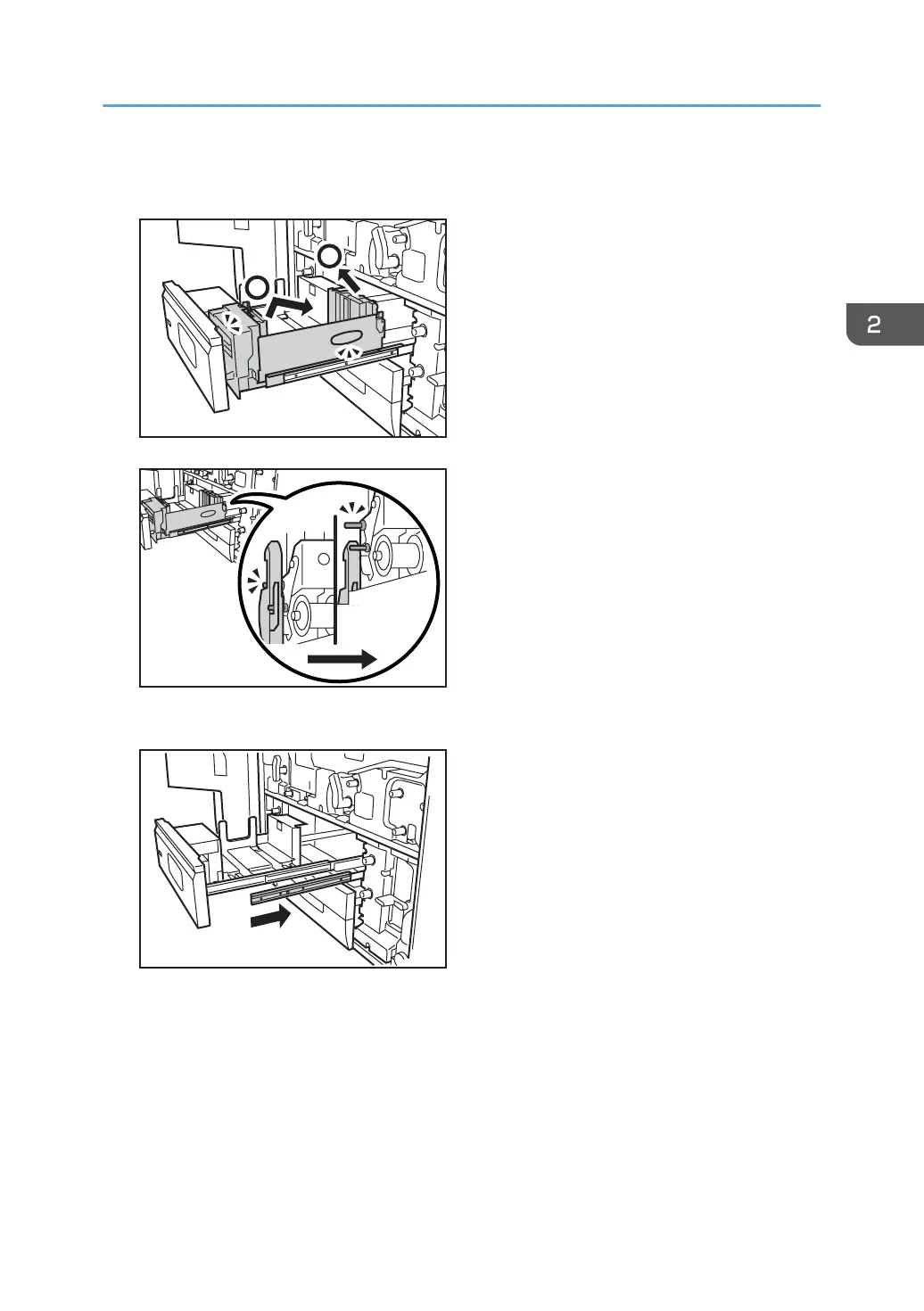
4. Push the tray in while lifting its front part slightly, disengage the lock, and then detach the
tray.
5. Push the guide rail back into the machine.
6. Remove the paper feed roller in the following order:
(1) Snap ring and pick-up roller
(2) Snap ring and feed roller
(3) Snap ring and separation roller
Replacing the Rollers in Tray 1
31



 To Next Page