EasyManua.ls Logo

Ricoh Pro 8210 - Replacing the Rollers in the LCT; Replacing the Rollers in the LCT 4; Replacing the Rollers in the LCT 5

Ricoh Pro 8210
132 pages
Print Icon
To Next Page IconTo Next Page
To Previous Page IconTo Previous Page
Loading...
Replacing the Rollers in the LCT
Replacing the Rollers in the LCT 4
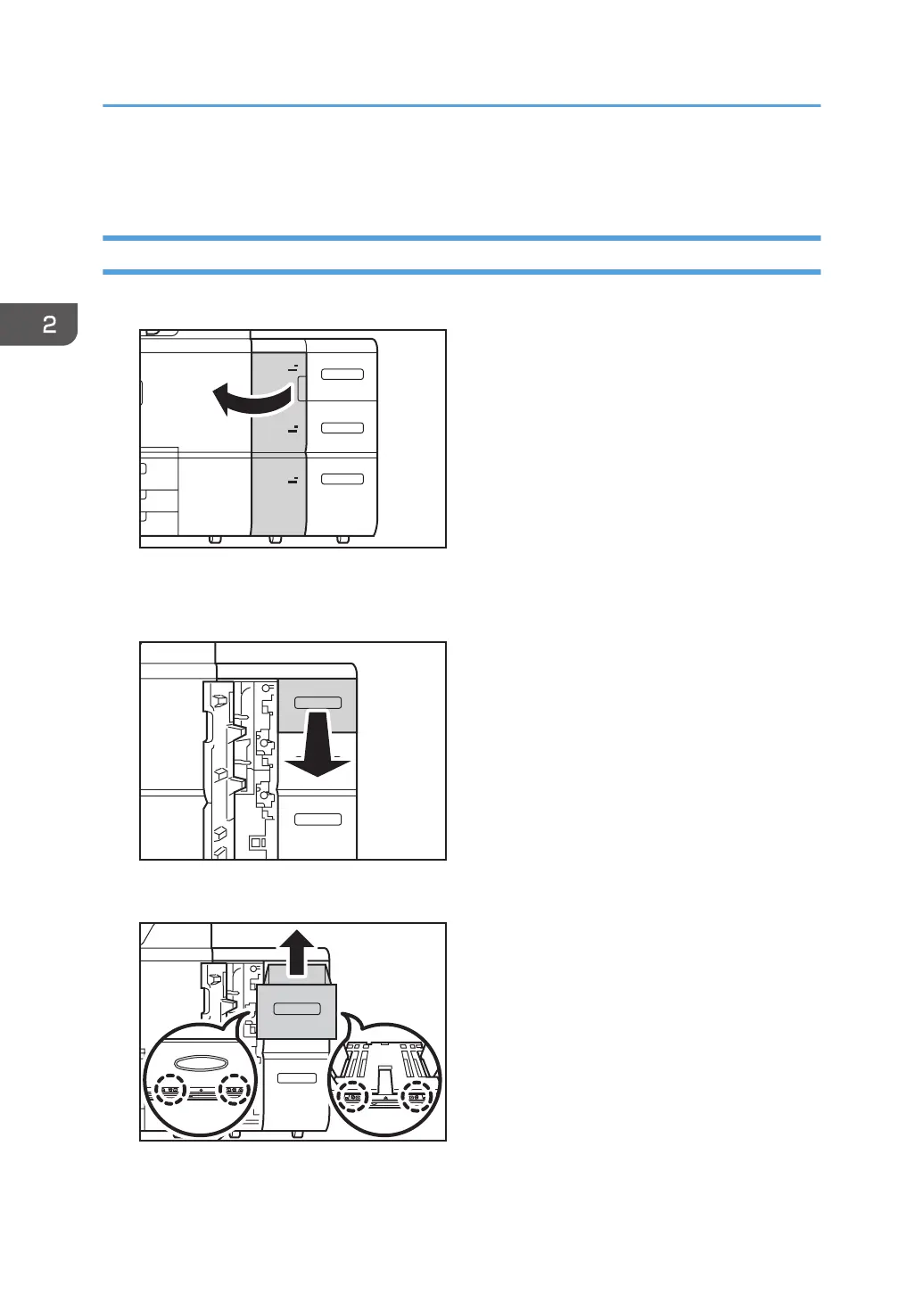
1. Open the front cover.
4
5
6
CZC029
2.
Pull open the tray until it stops.
Remove any paper in the tray.
CZC030
3. Remove the 4screws, and then lift the inner tray out of the drawer.
CZC031
2. Replacing the Paper Feed Rollers
50

Table of Contents