Replacing the Rollers in Tray 2/3
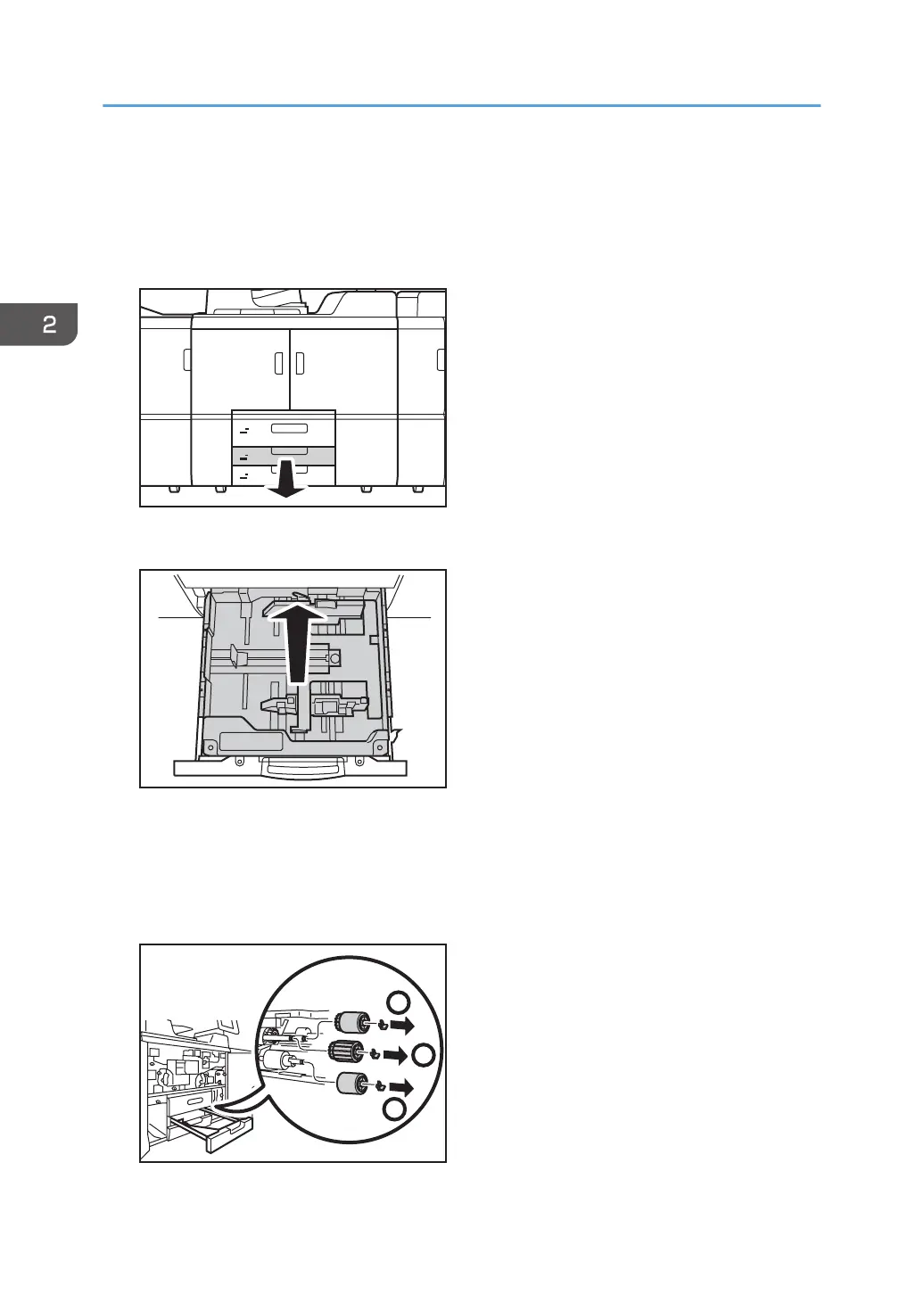
1. Pull open the tray until it stops.
Remove any paper in the tray.
2. Lift the inner tray out of the drawer.
3. Remove the paper feed roller in the following order:
(1) Snap ring and pick-up roller
(2) Snap ring and feed roller
(3) Snap ring and separation roller
2. Replacing the Paper Feed Rollers
38




 To Next Page