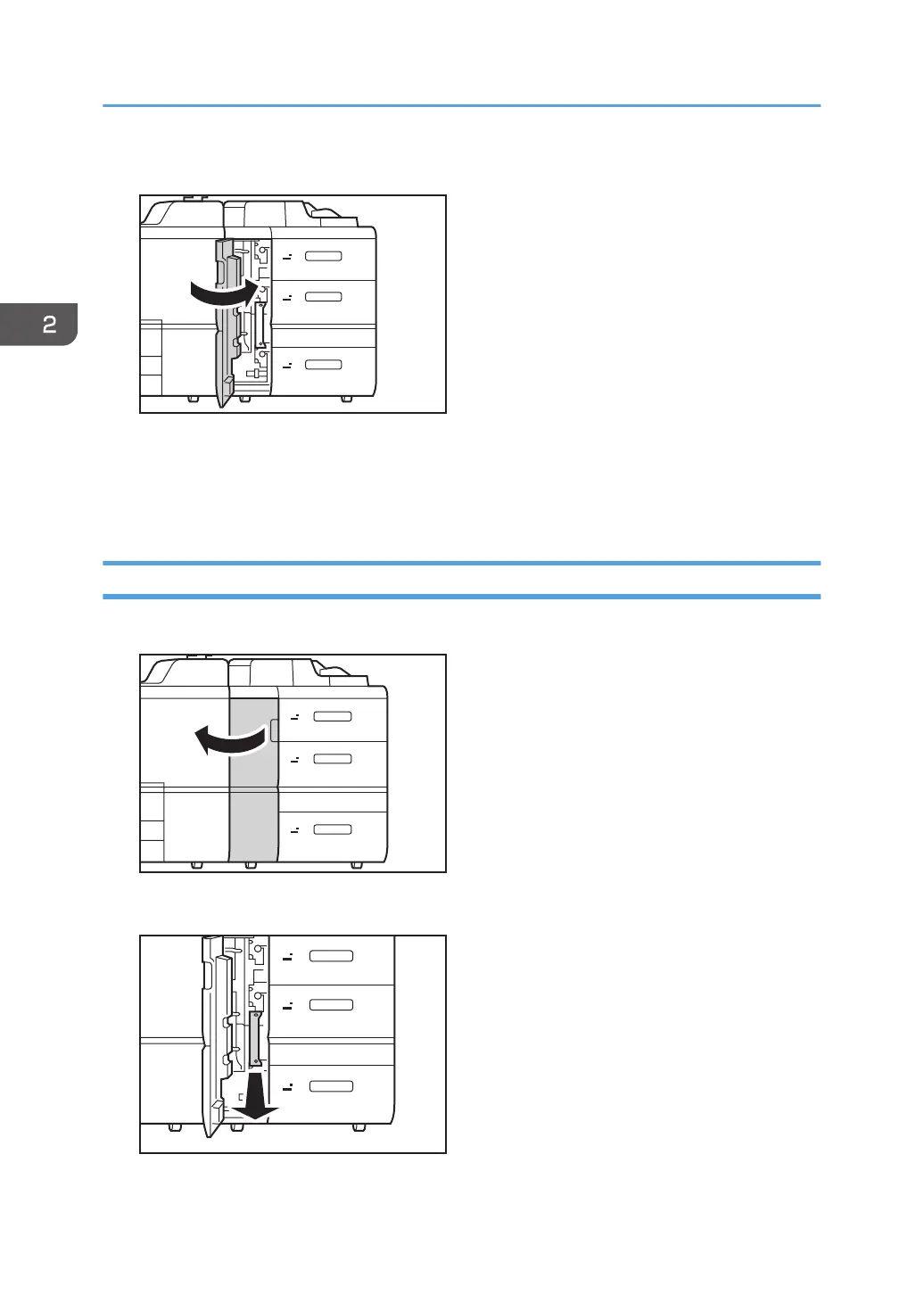
12. Close the front cover.
13. Reset the counter for replaceable parts.
Do not turn the machine on until you have read how to do so.
See page 22 "Resetting the Replaceable Parts Counter".
Replacing the Rollers in the Wide LCT 5/6
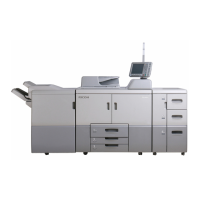
1. Open the front cover.
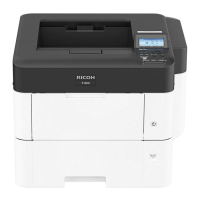
2. Remove the tab paper end fence.
2. Replacing the Paper Feed Rollers
44



 To Next Page