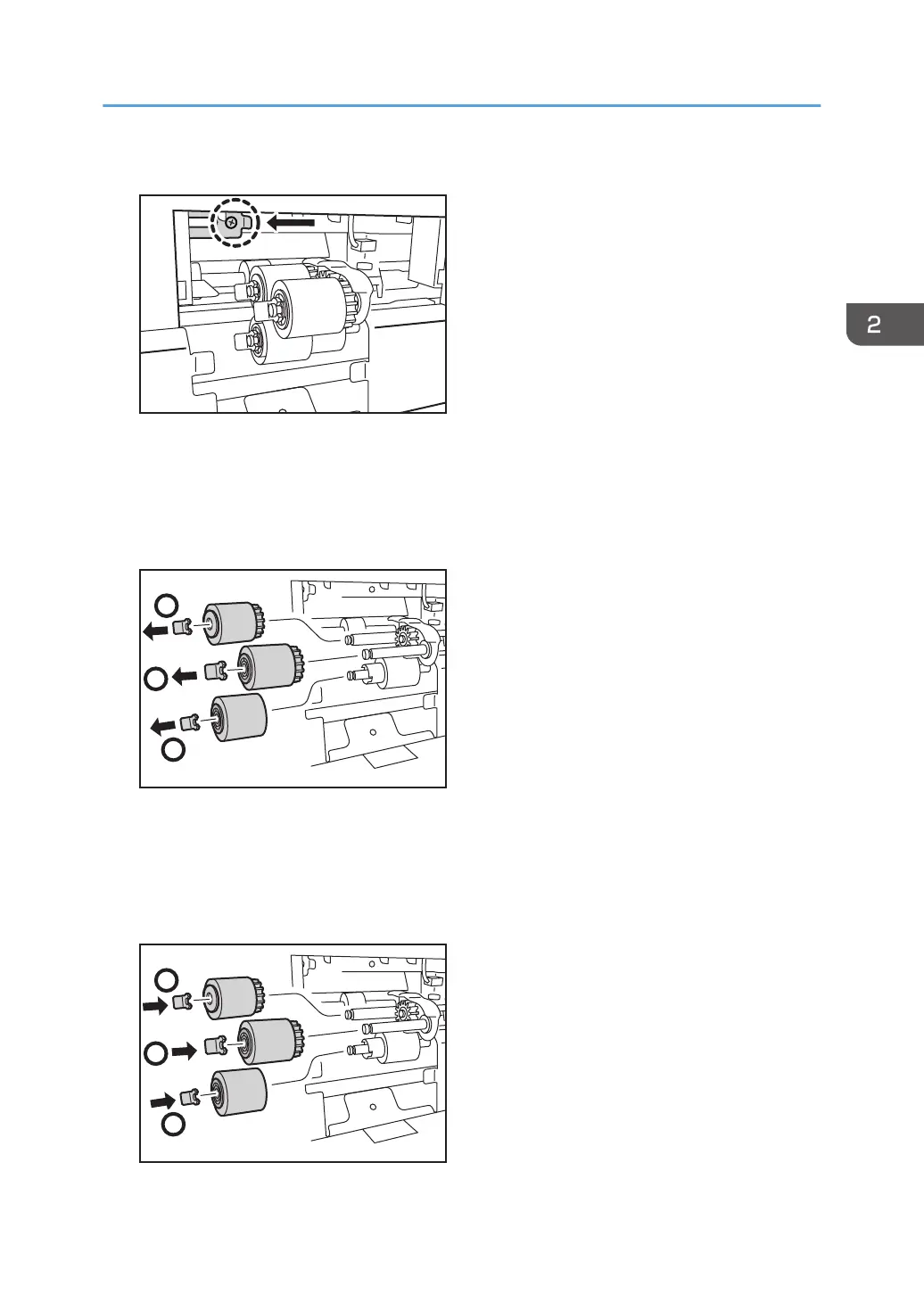
4. Remove the screw, and then slide the bracket.
5. Remove the paper feed roller in the following order:
(1) Snap ring and pick-up roller
(2) Snap ring and feed roller
(3) Snap ring and separation roller
6. Attach the new paper feed roller in the following order:
(1) Separation roller and Snap ring
(2) Feed roller and Snap ring
(3) Pick-up roller and Snap ring
Replacing the Rollers in the Bypass Tray
63



 To Next Page