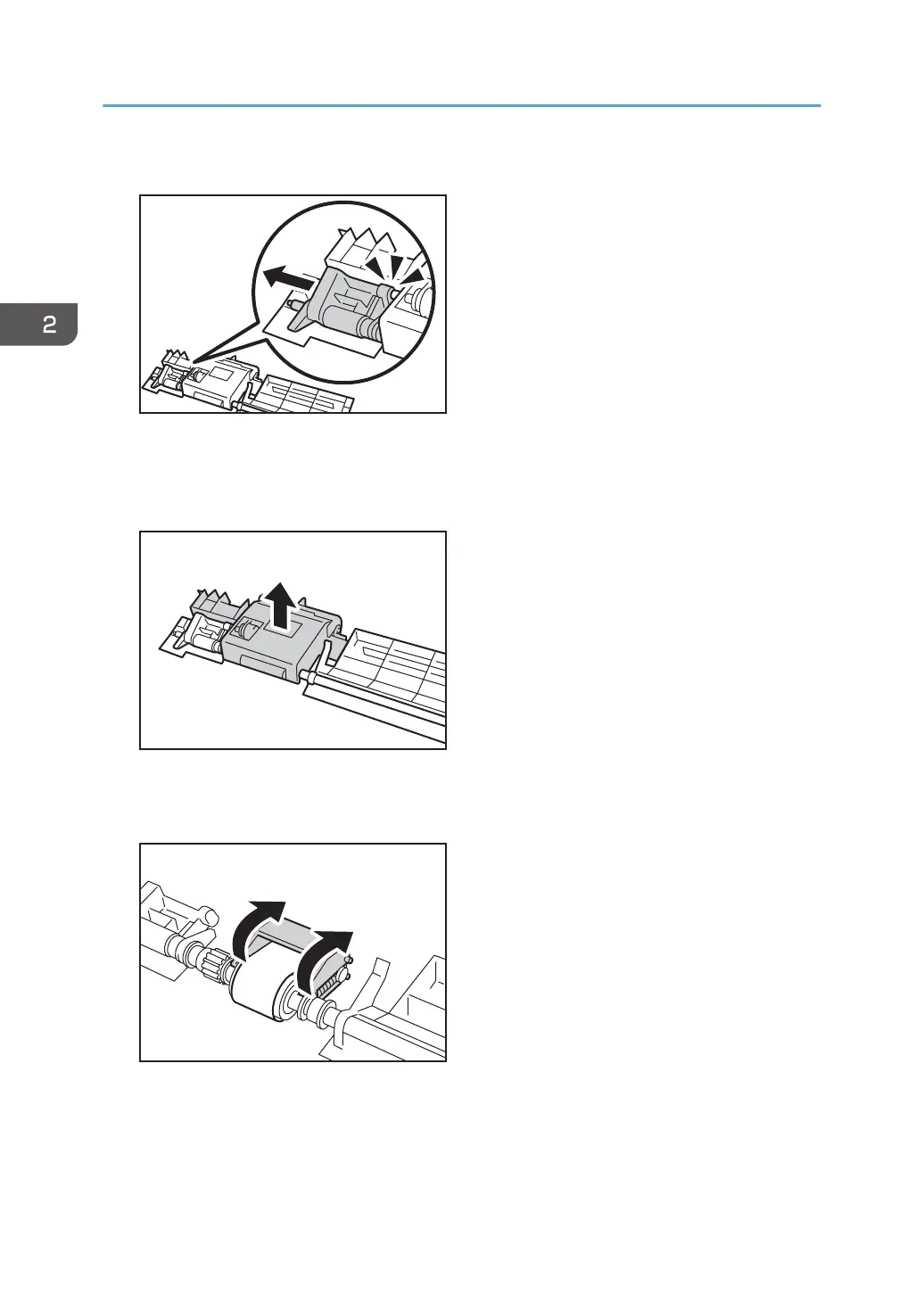
12. Pulling the white component away, disengage the projecting part from the pick-up roller.
13. Remove the component containing the pick-up roller.
Be sure to disengage the projecting part before removing the component. If you try to remove it
forcefully, you may damage it.
14. Remove the paper feed belt cover.
The paper feed belt cover's spring comes off easily. Be careful not to lose it.
2. Replacing the Paper Feed Rollers
70



 To Next Page